Guides
YouTube Music vs YouTube

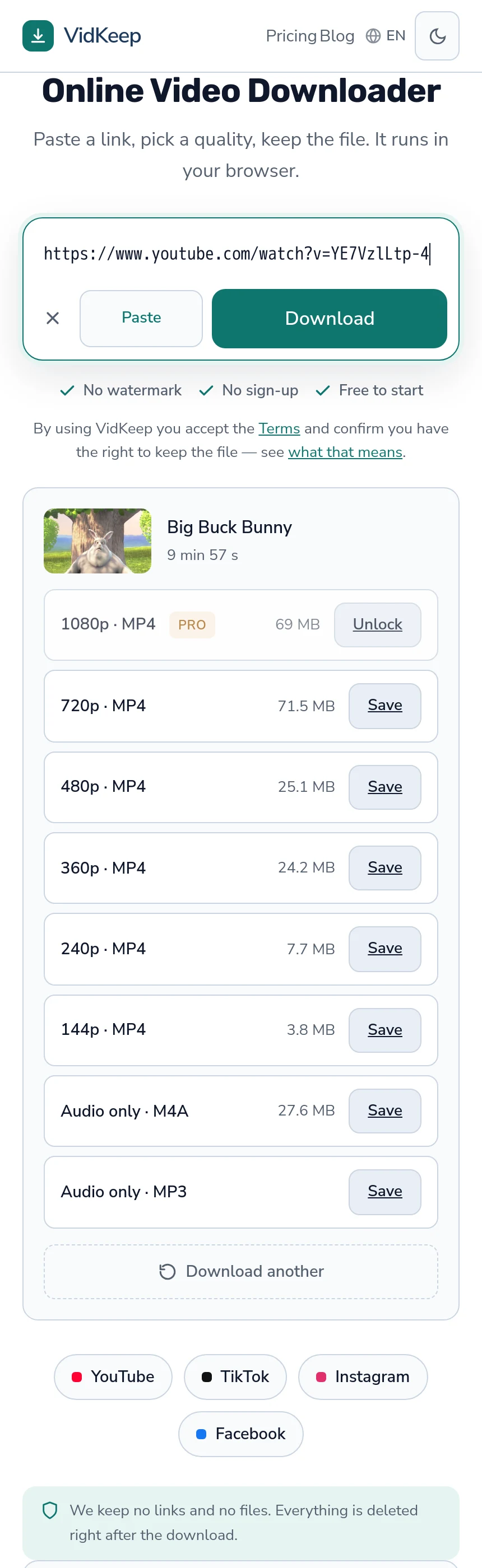
A music.youtube.com link is a YouTube link — same video identifier, same servers, and a downloader treats it identically. What differs is the catalogue: YouTube Music includes label-supplied tracks that exist nowhere on ordinary YouTube, and those behave differently. Public music videos are reachable; a subscription-only catalogue track is not.
Why the links are interchangeable
Both services are built on the same video platform. A track playing in YouTube Music usually has an ordinary YouTube address with the same identifier — the part after watch?v= — and swapping the domain reaches the same content.
So pasting a music.youtube.com address into a downloader works exactly as the plain YouTube form would. There is no conversion step and nothing to strip; the identifier is what matters and it is the same one.
This surprises people who assume YouTube Music is a separate service with separate content. Much of it is the same catalogue presented differently — an interface built for listening rather than watching, over largely the same library. The app remembers your position, queues tracks and keeps playing with the screen off; the underlying video is unchanged.
Where the catalogues genuinely differ
| Content | On YouTube | Reachable? |
|---|---|---|
| Official music videos | Yes | Yes, if public |
| Topic channel uploads (auto-generated) | Yes | Usually |
| Label-supplied album tracks | Music only | Often not |
| Premium-exclusive releases | Music only | No |
| User uploads of music | Yes | Yes, until removed |
The third row is where most confusion lives. A track supplied directly by a label appears in YouTube Music with album artwork and no video, and it is not always exposed as an ordinary public video. Where it is not, no external tool reaches it.
Auto-generated ‘topic’ channels sit in between. They are ordinary YouTube uploads created from label material, usually with a static image, and they generally behave like any other video.
Those topic channels are worth knowing about because they are frequently the reachable version of a track that appears subscription-only in the app. Searching the artist and title on ordinary YouTube often surfaces one, and it is the same recording — the platform generated it from the same source the streaming service uses.
The last row is the least stable. User uploads of music are ordinary videos until a rights holder issues a claim, at which point they disappear. A link that worked last month and now reports the video as unavailable is usually this, and no tool recovers content that has been removed.
What the two services are actually for
Worth separating, because the download question follows from it.
YouTube is a video platform where music happens to be popular. Content is uploaded by anyone, videos are public unless restricted, and the download question is the ordinary one.
YouTube Music is a streaming service competing with the other streaming services. Much of its catalogue arrives through licensing deals, and those deals assume the music is streamed rather than distributed as files.
That difference is why offline listening in YouTube Music is a subscription feature that keeps files inside the app, rather than something that hands you an audio file. The same structure as any subscription service, and the same limits — the wider comparison applies here too.
Getting audio when the track is a public video
Where a piece of music exists as a public YouTube video, saving the audio is the same operation as for any other video.
- Copy the link — either domain works.
- Paste it in and let the page read what is available.
- Choose an audio row. M4A is the platform's own track, unconverted; MP3 is a conversion for compatibility.
Take M4A unless something specifically requires MP3 — it is the original audio with no second encode and it costs nothing from the free allowance. The two options are compared here.
The quality ceiling is whatever the platform stored. No tool produces better audio than the source, and a service offering 320 kbps for every track is describing its own encoder rather than the material — bitrate claims are covered here.
Playlists, albums and the practical limits
Music links frequently point at a collection rather than a single track, and that changes what happens.
A playlist or album address is a list, not a piece of content. Downloaders that accept it work through the tracks individually, which for a fifty-track album means fifty requests in quick succession — reliably enough to trigger rate limiting rather than fifty files.
The practical approach is one track at a time, spaced out. Slower in principle, faster in practice, because nothing fails halfway and needs untangling — the playlist guide covers the mechanics.
There is also a rights dimension that is sharper here than elsewhere. Music is the most actively enforced category in this whole area, and an album's worth of downloads is not the same situation as saving a lecture — the legal side is covered separately.
Music videos versus audio tracks
One distinction worth making because it changes what you receive.
An official music video is a video: it has a picture, and its audio was mixed for the video. A catalogue track is audio with static artwork. Downloading the audio from the first gives you the video's soundtrack, which is not always identical to the album version — different edit, different length, occasionally a different mix entirely.
This catches people expecting a specific version. A radio edit, a live take and an album cut can all exist under similar titles, and the one attached to the popular video is whichever the label uploaded.
If a particular version matters, check the duration before downloading. A track that should be four minutes and shows as three-and-a-half is a different edit, and no download setting changes which recording sits behind the link. The duration is shown next to the title before you choose anything, which makes this a two-second check rather than a discovery you make while listening later.
What a downloader will never reach
- Subscription-only catalogue tracks. If it plays only inside YouTube Music for subscribers, it is not a public video.
- Premium-exclusive releases. Same structure, same answer.
- Your offline library from the app. Those files are managed by the app and expire with the subscription.
- Age-restricted or region-blocked music videos. Ordinary restrictions that apply as they do anywhere — covered here.
The test is the same as everywhere: open the link in a logged-out browser window. If it plays there, a downloader can generally reach it. If it asks you to sign in or subscribe, nothing external will.
Doing that test in a private window matters more for music than for anything else, because a music subscription changes what you see more thoroughly than any other account state. Signed in with Premium, the catalogue looks seamless — subscription tracks and public videos sit next to each other with no visible difference. Signed out, the two separate, and only one half remains.
Which is why ‘it plays fine for me’ is unreliable evidence here. A subscriber's view of YouTube Music is a different catalogue from the one a downloader sees, and the boundary is invisible from inside the app.
Why we do nothing special for music links
Our code has no concept of YouTube Music. The platform check looks for youtube.com or youtu.be anywhere in the address, and music.youtube.com contains the first of those, so it matches and is handled as YouTube. That is the entire integration.
The temptation was to build more. A music-aware mode could show album artwork, default to audio, hide the video qualities, and generally present itself as a music tool — a distinct product with its own landing page and its own search traffic.
We did not, and the reason is that the distinction is not real at our layer. What arrives is a video identifier. Whether the person on the other end thinks of it as a song or a video changes nothing about what we fetch, and building an interface that implies otherwise would be presenting a difference that does not exist in the request.
There is a second reason, about where that path leads. A tool that markets itself as a music downloader attracts the use where the rights position is worst and enforcement is most active. The same code doing the same thing, framed differently, changes who arrives and what they expect — and we would rather not build the framing that invites the album-at-a-time use we then have to decline to support.
What this costs: we are less visible to someone searching for a music-specific tool, and our interface shows video qualities to someone who only wants audio. The mitigation is that both audio rows sit at the bottom of every list regardless of what the link was, and the platform's own track is free and uncounted — so the music case is served, just not flattered.
The same reasoning explains a smaller decision people occasionally ask about: we do not write metadata into audio files. A dedicated music tool would fill in artist, album and artwork, and it would be a genuinely nice touch. Doing it well means guessing — parsing a video title into fields, or looking the track up in a music database and hoping the match is right.
A wrong guess written into a file is worse than an empty field, because it propagates: the file lands in a library, the library trusts the tags, and a mislabelled track is harder to notice and fix than an untagged one. So the file arrives named after the video and otherwise bare, which is less polished and more honest — the same trade as the blank where TikTok reports no size.
Frequently asked questions
Do YouTube Music links work in a downloader?
Yes. A music.youtube.com address carries the same video identifier as the ordinary YouTube form and is handled identically.
Why can I not download some YouTube Music tracks?
Label-supplied catalogue tracks and Premium exclusives are not public videos. If it plays only for subscribers inside the app, nothing external reaches it.
What audio quality can I get?
Whatever the platform stored. No tool produces better audio than the source, and offers of 320 kbps for every track describe an encoder rather than the material.
Can I download a whole album or playlist?
Technically the tracks are individual videos, but fifty rapid requests trigger rate limiting rather than producing fifty files. One at a time is faster in practice.
Can I get my YouTube Music offline library as files?
No. Those files are managed by the app and stop working when the subscription ends.
Is downloading music different legally?
Music is the most actively enforced category in this area, and an album's worth of downloads is a different situation from saving one lecture.
VidKeep runs in your browser — paste a link, pick a quality, keep the file. No account, no app.
Open VidKeepLast updated: 2026-10-19. We revise our guides as the platforms change.