How-to
How to Download a YouTube Playlist

There is no honest one-click way to download a fifty-video playlist for free, and any site promising one is either slow, broken or lying. What works: copy the playlist page, take the video links from it, and run them a few at a time. On a paid tier a queue does this for you. Here is how playlists actually behave, why YouTube pushes back on bulk grabbing, and how to get the videos without losing an afternoon.
Why one-click playlist downloads disappoint
A playlist is not a file. It is a list of pointers, and each video behind it is a separate request: fetch the formats, pick a stream, download it, often merge picture and sound. Fifty videos means fifty of those, back to back.
That is where the promises break down. Doing fifty in a row from one address looks exactly like automated scraping, because it is — and YouTube responds the way any large site would: slower answers first, then a bot check, then nothing at all for a while. A tool that offers instant bulk downloads is either queueing them quietly (and you wait anyway), or burning through addresses until one gets blocked.
So the realistic question is not ‘how do I get all fifty in one click’. It is ‘how do I get the ones I actually need, without tripping anything’.
The practical way to do it
- Open the playlist page on YouTube. You want the page listing the videos, not one video playing inside it.
- Collect the links. Open each video you actually want and copy its URL. For a long course, this sounds tedious — but you rarely need all fifty. Most people want six or eight.
- Download them a few at a time. Three or four in a row is comfortable. Pause a moment between batches; that pause is what keeps everything smooth.
- Name them as you go. Downloads arrive with the video title, which sorts badly. Renaming with a number prefix — 01, 02, 03 — takes seconds and saves confusion later.
If the playlist is a course you will work through over weeks, there is an even simpler approach: download the next two or three lessons the night before you need them, rather than the entire series up front. You get the same result, spread out, with no risk of blocks.
A URL detail that trips people up
YouTube links come in two shapes when a playlist is involved, and they are not interchangeable:
| Link shape | What it means |
|---|---|
youtube.com/playlist?list=… | The playlist itself — a list, not a video. A downloader has nothing to fetch. |
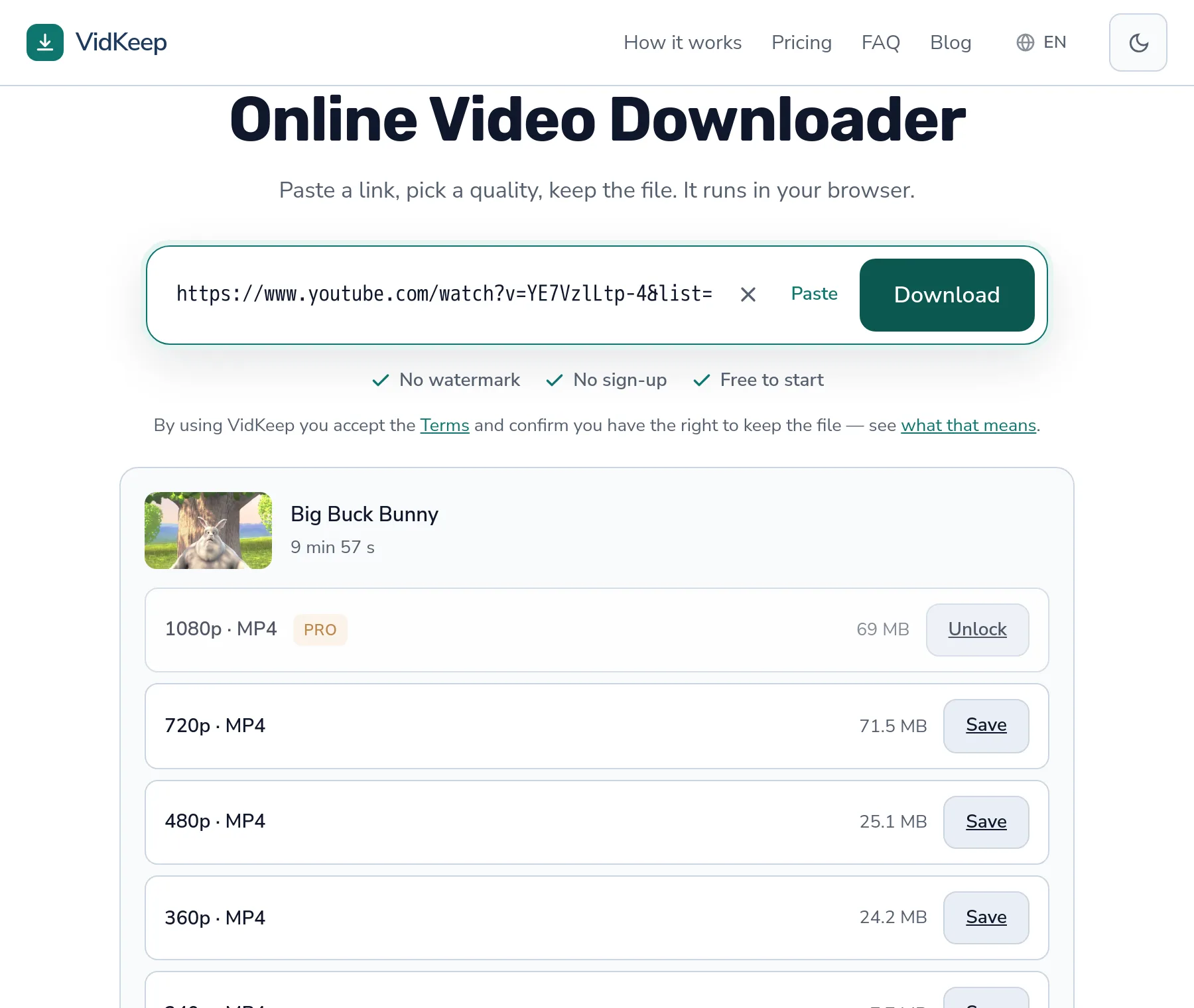
youtube.com/watch?v=…&list=… | A single video that happens to sit inside a playlist. This one works. |
If a tool says ‘link not recognised’ on a playlist, this is almost always why. Open a video from the list and copy that address instead. The trailing &list=… part is harmless — it is ignored.
When a playlist is the wrong tool for the job
Sometimes the thing you want is not the videos at all.
- Music playlists. If you only want the sound, audio downloads are far smaller and faster than video files you will never look at.
- Watching offline on a trip. YouTube Premium downloads inside the app handle this in one tap. The files stay locked in the app, but for watching on a plane that is exactly enough.
- Archiving a channel. That is a different job with different scale, and no browser tool is the right instrument for it.
We would rather point you at the better tool than pretend a downloader is the answer to every version of this question.
What happens if you push too hard
Download twenty videos in ninety seconds and you will meet YouTube's rate limiting. It arrives in stages, and knowing the stages tells you when to slow down:
- Slower responses. Requests that took a second start taking five.
- A bot check. ‘Sign in to confirm you are not a bot.’ No browser tool can pass this, because it has no account to sign in with.
- A cool-off. Requests from that address fail for a while, usually minutes rather than hours.
None of this damages anything permanently, and it is not a punishment aimed at you — it is ordinary protection against automated traffic. Waiting is the fix. Spacing your downloads out means never seeing stage two at all.
Why we do not offer one-click playlist downloads for free
This is a product decision we can explain from the inside, because we made it deliberately and it costs us signups.
Every download above 360p passes through our server for a few seconds: we fetch the video stream, fetch the matching audio, and join them into one file. That merge is the only expensive thing we do, and we run a limited number of them at once. It is not stinginess — it is the difference between everyone waiting three seconds and everyone waiting three minutes.
Now picture a free one-click playlist button. One person pastes a fifty-video playlist and occupies every merge slot for the next half hour. Everyone else — people wanting a single clip — sits in a queue behind them. The feature that sounds generous in a marketing bullet is the feature that makes the service unusable for the majority.
So bulk is a Pro feature with a proper queue: up to twenty links, processed in order, on a separate lane that does not block anyone else. And free stays genuinely fast for the thing most people came for, which is one video, right now.
There is a second reason, and it is about you rather than us. Bulk downloading from one address is what triggers YouTube's protections. A tool that lets you fire fifty requests without warning is handing you a bot check and calling it a feature. A queue that paces the work avoids that entirely — the pacing is the point, not a limitation we apologise for.
One more thing we learned by watching our own numbers: the people who ask for playlist downloads almost never want the whole playlist. They want a course they are working through, or a handful of tracks from a long mix. When we look at how many videos a single person actually downloads in a session, the answer is small — a few, not fifty. The demand for ‘the whole playlist’ is mostly a demand for convenience, and convenience is cheaper to give in other ways: showing real file sizes so you can skip the ones you do not need, and keeping the paste-and-save loop fast enough that doing it six times is not a chore.
If you genuinely need an entire channel archived — a backup of your own uploads, say — a browser tool is the wrong instrument and we will say so plainly rather than sell you a feature that will disappoint. Desktop software built for archiving handles that job properly, with resume, retries and file naming. Our job is the fast single download and the small batch, done honestly.
Frequently asked questions
Can I download an entire YouTube playlist at once?
Not in one click on the free tier. Bulk grabbing is heavy and triggers YouTube's bot checks. A Pro queue handles up to twenty links in order; otherwise, download them a few at a time.
Why does the playlist link not work?
Because playlist?list=… is a list, not a video. Open a video from the playlist and copy that link instead.
Can I download a playlist as MP3?
Yes, video by video. For music this is the better route anyway — audio files are a fraction of the size.
Will downloading many videos get me blocked?
Not permanently. YouTube slows you down, then shows a bot check, then pauses requests from your address for a while. Spacing downloads out avoids it.
Does the order of the playlist get preserved?
No — files arrive named after the video, not the position. Add a number prefix while downloading if the order matters.
Is there a limit to how many videos I can download?
Free has a daily limit on the downloads that need merging. Audio and 360p come straight from the source and are not counted.
VidKeep runs in your browser — paste a link, pick a quality, keep the file. No account, no app.
Open VidKeepLast updated: 2026-08-04. We revise our guides as the platforms change.