How-to
Extract Audio From Any Video

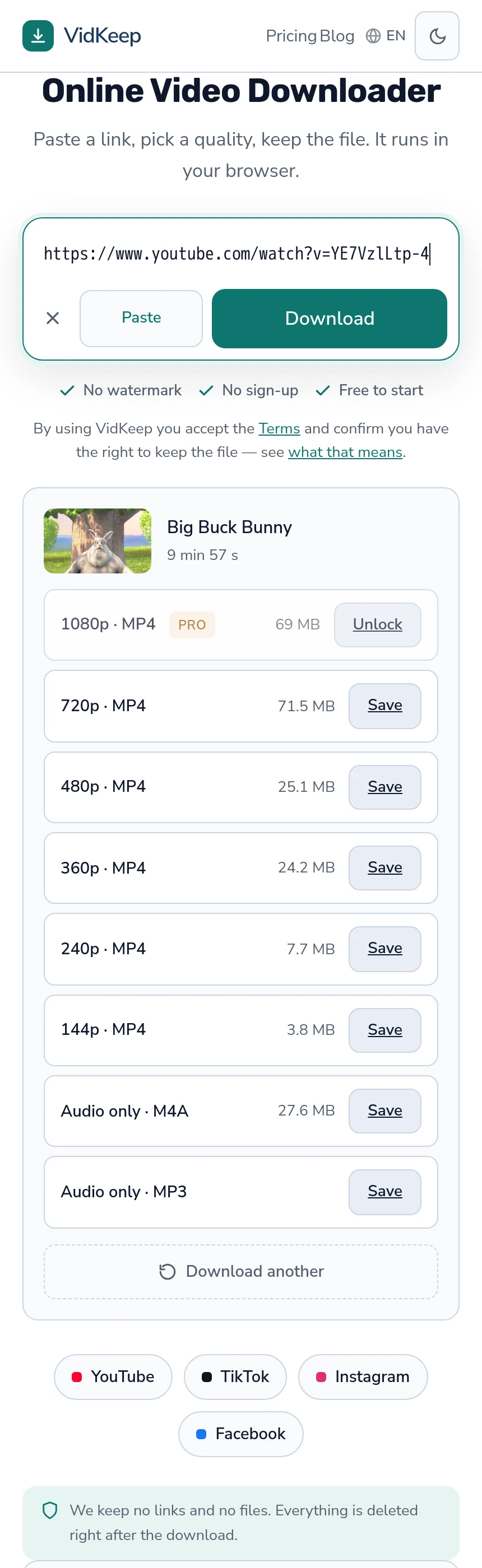
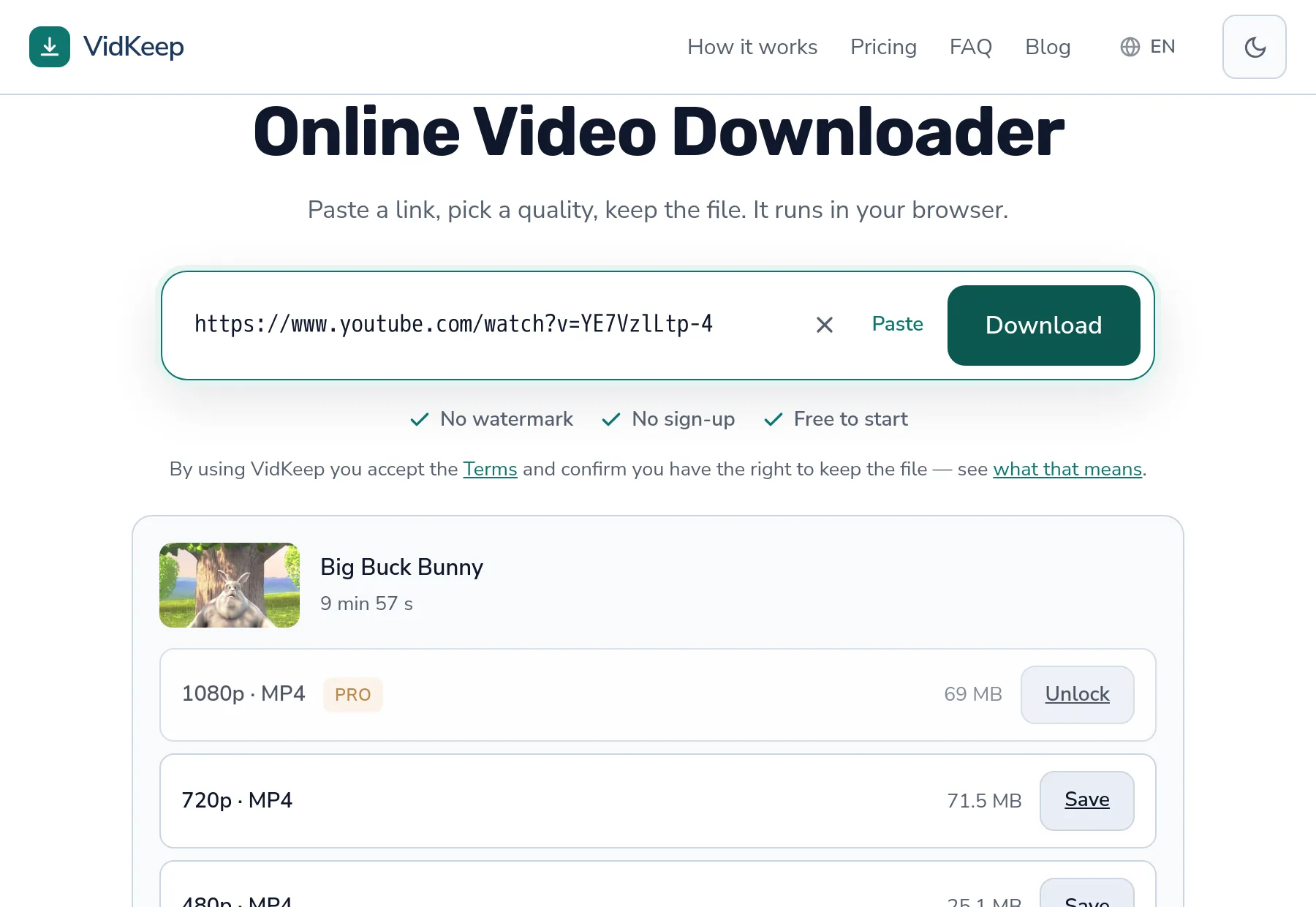
You do not need the video first. Paste the link and take one of the two audio rows at the bottom of the list: M4A is the platform's own track, free and uncounted, and MP3 is a conversion of it for maximum compatibility. Both are a fraction of the video's size, and both work on every platform the tool supports.
How it works, and why it is fast
- Copy the video link from any supported platform.
- Paste it in and let the page read what is available.
- Choose one of the two audio rows — they sit at the bottom, below every video quality.
Nothing downloads the video first. Platforms store the audio as its own stream, so only that stream is fetched — which is why audio is quick even for long videos where the picture would take a while.
| Option | What it is | Counts against the free limit? |
|---|---|---|
| Audio only · M4A | The platform's own track, untouched | No |
| Audio only · MP3 | Converted at 192 kbps | Yes |
Take M4A unless something specifically needs MP3. It is the original audio with no second encode, it costs you nothing from the daily allowance, and every modern phone, computer and browser plays it.
Which platforms this works on
Anywhere the tool can read the video, it can take the audio — the mechanism is identical and the audio stream is fetched the same way.
| Platform | Audio extraction | Note |
|---|---|---|
| YouTube | Yes | Separate audio stream; fastest case |
| TikTok | Yes | Pulled from the single stored file |
| Yes | Public posts and reels | |
| Yes | Public videos |
The limits are the same as for video and have nothing to do with audio: private accounts stay private, removed content stays removed, and region blocks apply identically.
One difference worth expecting. Where a platform stores audio separately, extraction is very quick. Where it stores one combined file, the audio has to be separated out of it — still fast, but not instant, because the file is fetched before the sound can be lifted from it.
What you actually get, and what is lost
Converting to MP3 is a genuine re-encode, and being straightforward about that is more useful than calling it lossless.
Platforms do not store MP3. They store AAC or Opus, so producing an MP3 means decoding their audio and encoding it again. That is a second generation and it does lose something — at 192 kbps, inaudibly on any normal equipment, but it is not nothing.
Which is exactly why the M4A row exists alongside it. That option is the platform's own track written straight to a file, with no decode and no re-encode at any point. If nothing in your setup demands MP3 specifically, it is the better of the two on every measure — quality, speed and cost. The bitrate question is covered properly here.
MP3 earns its place for the awkward cases: an old car stereo, a DJ program, a piece of software written before AAC was ubiquitous. For those, a barely-audible second encode is a fair price for a file that opens.
What you do not lose is anything to do with the video quality you did not download. The audio stream is stored once and shared across every resolution, so the sound from a 360p option and a 1080p option is the same sound.
How much smaller audio is
The saving is easy to work out, because audio size is bitrate times duration. A track at 128 kbps takes about 9.6 MB per ten minutes (128 × 600 ÷ 8 ÷ 1000); an MP3 at 192 kbps takes about 14.4 MB. A ten-minute video at 720p or 1080p is roughly 70 MB (sizes by quality), so audio is a fifth to a seventh of it.
The saving grows with length rather than staying flat. Two hours of a conference talk is the case where this stops being an optimisation and becomes the difference between a file that fits on the phone and one that does not.
One caveat on the platform's own track: some videos carry a high-bitrate surround track as their best audio, which can be three times the size of the stereo one. If a file is larger than the arithmetic predicts, that is the usual reason.
When audio only is the better choice
- Podcasts and interviews. The picture is two people at a table. There is nothing to watch.
- Music you have the right to keep. Own recordings, licensed tracks, public domain material.
- Lectures and talks. Slides matter occasionally; the audio carries the content.
- Language practice. Repeated listening, and video would be storage spent for nothing.
- Anything for a car or headphones. The screen will be off regardless.
The saving is real but worth stating accurately rather than rounding in our favour. On a ten-minute video we measured, the audio track came to 27.6 MB against 69 MB for 1080p — well under half, not the order of magnitude people sometimes assume. For a two-hour podcast the absolute gap is enormous; for a short clip it is modest.
What audio extraction cannot do
Worth stating, because the requests come up and the answers are all no for the same reason.
It cannot separate music from speech. The audio is one mixed track. Isolating parts of it is a different technology and not what extraction means.
It cannot improve on the source. If the platform's audio is poor — a bad microphone, heavy compression on upload — the MP3 inherits every bit of that. Nothing in extraction repairs sound.
It cannot reach content you cannot watch. Private, members-only and age-restricted material is exactly as unavailable in audio form.
It cannot give you a stem or an instrumental. Same reason as the first: one mixed track is what exists.
Where the file goes, and what to do with it
An MP3 lands wherever your browser puts downloads — the Downloads folder on a computer, the Files app on iPhone, the Downloads folder on Android.
On iPhone it will not appear in the Music app automatically. Music, like Photos, is a managed library rather than ordinary storage, so a downloaded MP3 sits in Files until something puts it there deliberately. The same logic that hides downloaded videos from Photos applies to audio.
On Android the file usually appears in music players automatically, because the system scans storage for media. Same download, different behaviour, and the difference belongs to the operating system rather than to the file.
One practical habit: rename the file when you save it. The default name is the video title, which is long, and a folder of thirty of those is unusable as a listening queue.
Why one audio option is free and the other is not
Two rows that look nearly identical are metered differently, and the reason is worth explaining because it is the clearest illustration of how the whole free tier is drawn.
The line is not audio versus video, and it is not quality. It is whether our processor does any work. When a platform hands over a finished stream — the M4A track, and 360p video — your browser fetches it by direct link and never touches our machine. Nothing is spent on our side, so nothing is counted. Free and unlimited, and it costs us honestly nothing to say so.
MP3 is different because MP3 does not exist on the platform. Producing one means decoding the audio and encoding it again on our single CPU, which is real work — cheaper than assembling a 1080p video, but not free. So it counts as one of the thirty daily downloads. It is deliberately not flagged as high quality, though, so it never consumes one of the ten daily slots reserved for 1080p and above: audio conversion is a fraction of the cost of video assembly and being metered as if it were the same would be wrong.
This is why the honest recommendation is M4A. The row directly above MP3 gives you better audio, arrives faster, and does not touch your allowance — and pointing people at it costs us the quota consumption that MP3 would have produced. We would rather explain the difference than collect a limit from someone who did not need the conversion.
The ceiling that does apply to MP3 is a size limit of 300 MB, which no ordinary audio approaches — that is many hours. It exists because the disk guard has to bound every job that runs on our hardware, not because anyone is expected to meet it.
The general principle behind all of this: we meter what we spend, not what we could get away with charging for. Counting the free direct-link options would make the limit look busier and push people toward upgrading sooner, and it would be metering something that costs us nothing. That pattern is common enough in this market to be worth naming, and it produces exactly the resentment it deserves.
Frequently asked questions
Can I extract audio without downloading the video?
Yes. The audio is fetched directly rather than pulled out of a downloaded file, which is why it is quick even for long videos.
Which platforms does this work on?
All of the ones the tool supports — YouTube, TikTok, Instagram and Facebook among them. The mechanism is the same for each.
Should I take M4A or MP3?
M4A unless something specifically needs MP3. It is the platform's own track with no second encode, and it does not count against the daily free limit.
What quality is the MP3?
192 kbps, which is above what most platforms store their audio at. Going higher would grow the file without recovering anything.
Does audio count against the free limit?
M4A does not — it comes by direct link and never touches our servers. MP3 does, because converting it is real processing on our side.
Can I get just the music without the speech?
No. The audio is a single mixed track. Separating its parts is a different technology entirely.
VidKeep runs in your browser — paste a link, pick a quality, keep the file. No account, no app.
Open VidKeepLast updated: 2026-10-30. We revise our guides as the platforms change.