Guides
What Happens to a Video on Upload

Your file is decoded, compressed again, cut into a ladder of resolutions, stripped of its camera metadata, and the original is discarded. That happens to every upload on every platform, and it explains most of what people find confusing about downloading — why quality varies, why sizes are strange, and why nobody can give you the file the creator made.
The pipeline, in order
- Your file arrives and is checked — format, length, size, whether it can be decoded at all.
- It is re-encoded into the platform's own settings. This is the step that costs quality and it is unavoidable.
- A ladder is generated — the same video at several resolutions, each a separate stream.
- Audio is separated on long-form platforms, so one audio stream serves every video quality.
- Thumbnails are extracted, and your custom one is used if you supplied it.
- Automatic systems run — captions, content matching, classification.
- Your source file is discarded.
Step seven is the step with lasting consequences. From that moment the platform holds only its own versions, which is why no download — not even the platform's own export to you — returns what you uploaded.
Why re-encoding is unavoidable
It looks wasteful, and every alternative anyone has tried is worse.
Uploads arrive in every format a camera or an editor can produce, at wildly different sizes and bitrates. Serving those directly would mean every viewer's device needing to handle every possible format, which nothing can guarantee.
Re-encoding produces consistency: a known set of codecs and containers that players handle, at bitrates the platform's delivery network can sustain. That consistency is what makes video work at scale, and it costs a generation of quality.
The saving is also enormous. A camera export can be many times the size of the delivered version, and storing and serving those originals would cost a fortune for material almost nobody would request — which is why the source is discarded.
What the ladder explains
Almost every quality question people ask about downloading traces back to how this ladder was built.
Why 1080p is missing. The ladder only goes up to what was uploaded. A 720p upload never gains a higher rung — covered in full.
Why quality appears over time. Rungs are generated in order, lowest first, so a new upload is watchable before it is finished. A long video can take hours to reach its top quality.
Why file sizes do not follow resolution. Different rungs are encoded with different codecs, so a 1080p rung can be smaller than the 720p one — the codec comparison.
Why audio is separate above 360p. One audio stream shared across every video rung is a large saving at scale, and it is why higher qualities need assembling — the mechanics.
What gets stripped and never comes back
- Camera metadata. Device, settings, and any location data. Removed for privacy reasons as much as technical ones, and a genuine benefit.
- Colour information beyond the platform's profile. Wide-gamut and high-dynamic-range material is converted unless the platform explicitly supports it.
- Extra audio tracks. Alternative languages and commentary tracks are generally reduced to one.
- Embedded subtitles. Converted into the platform's own caption system rather than kept in the file — which is why they download separately.
- Bit depth beyond eight. Which is what limits heavy colour grading of platform footage later.
The first item is worth appreciating rather than lamenting. Location data in an uploaded video would be a genuine hazard, and every platform stripping it by default is one of the quieter good decisions in this industry.
The last item explains a frustration editors meet regularly. Eight-bit colour has enough range for ordinary viewing and not enough for aggressive grading — push it and the sky bands, skin goes patchy. That limit was applied on upload, long before anyone downloaded anything, and no tool restores what the encoder discarded.
Which is the general shape of everything in this list: these are not download limitations dressed up as platform behaviour. They happened at upload, to every copy that exists, and the only version without them is the one still sitting on the creator's own machine, assuming they kept it.
Why the same video differs between platforms
Post the identical file to three services and you get three different results, permanently, with no way to reconcile them afterwards.
Each platform re-encodes independently with its own settings, its own ladder and its own bitrate targets. None of them starts from another's output; each starts from your upload, so the differences are baked in from the first moment.
Upload limits differ too. Some cap resolution, some cap length, some cap file size on the way in — so the source each platform holds may already be reduced differently before any encoding happens.
Which has a practical consequence for downloading: if a clip exists in several places, they are not equivalent copies. Finding the best source is worth five minutes, and a repost is always a generation further away than the original posting.
The difference is largest on short vertical video, where platforms compress hardest and clips travel furthest. A clip that started on one service, was saved with a watermark, cropped, re-uploaded and saved again has been through five encodings, each starting from the previous one's output.
None of that is recoverable, and it is why tracking down the original posting matters more than any download setting. Five minutes of searching beats any amount of processing applied to a fourth-generation copy.
What survives each stage
| Property | After upload processing |
|---|---|
| Resolution | Capped at what you uploaded; lower rungs generated |
| Frame rate | Usually preserved, sometimes reduced |
| Bitrate | Replaced entirely with the platform's |
| Codec | Replaced; often several, one per rung |
| Camera metadata | Removed |
| Colour depth | Reduced to eight bits in most cases |
| Audio | Re-encoded, often separated from video |
Only the first two rows carry anything of your original file forward, and even those are ceilings rather than guarantees. Everything else is the platform's decision, applied identically to every upload it receives.
Which is the short answer to why downloads cannot be better than they are. A tool fetching from this table can only ever hand you a row from it.
What creators can control
Not much, and the few levers that do exist are worth using deliberately rather than by accident.
Upload the highest quality you can. The ladder is capped by your file, so a 4K upload produces better 1080p than a 1080p upload does — the platform is downscaling from more information.
Use the platform's recommended settings. Uploading in something close to what the encoder expects means fewer conversions and fewer surprises.
Turn on high-quality upload options where they exist. Several platforms have them switched off by default.
Keep your export. The single most important habit, because nothing you download later replaces it — what recovery actually gets you.
Uploading higher than you deliver is the lever people most often skip, and it is free. The encoder downscaling from 4K has more information to work with at every rung below, so the 1080p version genuinely comes out better than it would from a 1080p upload. The cost is your upload time; the benefit lands on every viewer.
What does not help is uploading something already heavily compressed. Feeding the pipeline a file that has been through a previous encode means it starts from damage, and the platform's compression adds to that rather than replacing it. Export once, from the project, at the highest sensible setting.
Why we do the opposite of everything on this page
This article describes a pipeline that decodes, converts and rebuilds. Our own does none of those things, and the contrast is the clearest way to explain what a download should be.
A platform must re-encode, because it receives unpredictable files and has to serve predictable ones to millions of devices. We receive one predictable file — the platform's own output — and send it to one device. There is nothing to normalise, so processing it would cost quality for no benefit whatsoever.
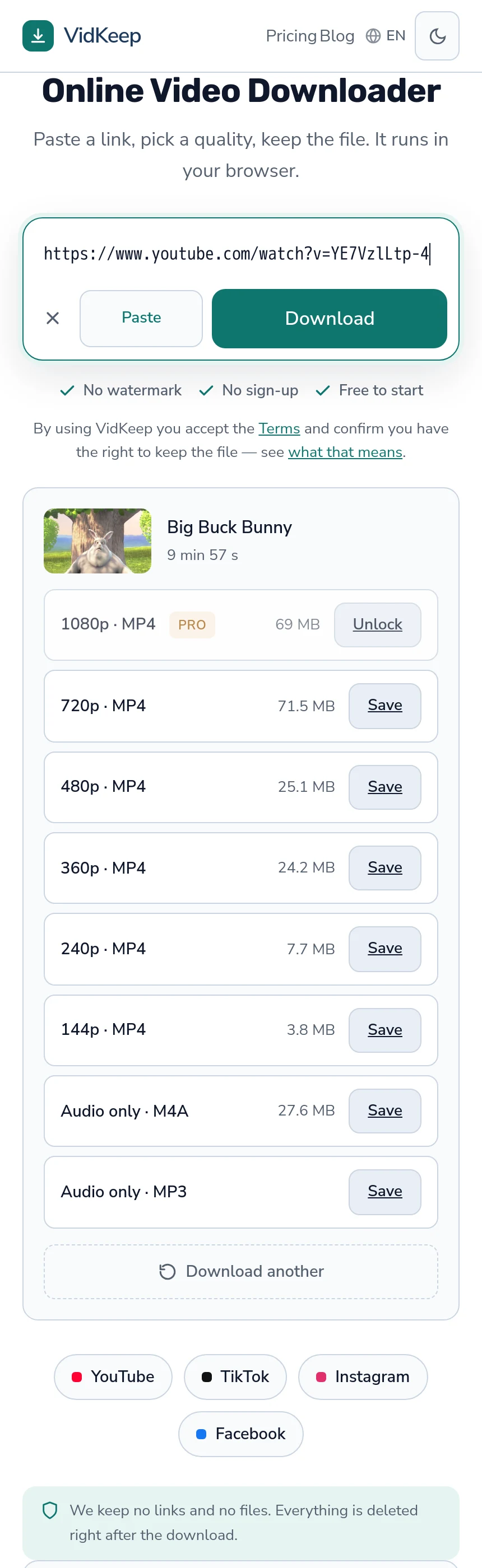
So streams are copied into a container rather than converted. When video and audio need joining, the tool is instructed to merge rather than transcode, which is why an assembly takes seconds rather than the minutes a real conversion needs. On the normal path the picture in your file is bit-for-bit what the platform served.
The one exception is MP3, and it is a genuine re-encode: platforms store AAC or Opus, so producing an MP3 means decoding and encoding again. That is why, where a platform stores its audio separately, the “Audio only” row beside it — the platform's own track, untouched — is the better choice for anyone who does not specifically need MP3, and why we say so rather than steering people to the conversion.
The general principle, which this whole blog keeps arriving at: a platform's job is to transform video so it works everywhere, and a downloader's job is to transform nothing. Every feature that would process your file — cropping, converting, compressing, enhancing — moves us toward being a bad video editor rather than a good downloader, and there are better editors than we would ever be.
That principle has a cost worth naming. People arrive wanting a crop, a trim, a format conversion or a GIF, and we decline all four — with the commands published instead. Each would be a small feature and each would break the one guarantee that distinguishes the product: that what you receive is what the platform holds.
It also means our files are sometimes larger than a competitor's for the same video. That is not inefficiency; it is the absence of a second compression that somebody else applied to make their bandwidth bill smaller.
Frequently asked questions
What happens to a video when it is uploaded?
It is decoded and re-encoded into the platform's settings, cut into a ladder of resolutions, stripped of camera metadata, and your original file is discarded.
Why do platforms re-encode instead of serving my file?
Uploads arrive in every possible format. Re-encoding produces a consistent set of codecs that every device can play, at bitrates the network can sustain.
Can I get my original file back from a platform?
No. It is discarded after processing, so even the platform's own export to you contains its processed version rather than your upload.
Why does quality improve in the hours after uploading?
The ladder is generated lowest rung first so the video is watchable immediately. Higher resolutions appear as processing continues.
Why does the same video look different on each platform?
Each re-encodes independently from your upload with its own settings and limits. They are not copies of each other.
What can I control as a creator?
Upload the highest quality you can — the ladder is capped by your file — use recommended settings, enable any high-quality upload option, and keep your own export.
VidKeep runs in your browser — paste a link, pick a quality, keep the file. No account, no app.
Open VidKeepLast updated: 2026-11-04. We revise our guides as the platforms change.