Guides
What “Original Quality” Really Means

Nobody can give you the file the creator uploaded. Platforms re-encode on upload and discard the source, so the ‘original’ ceased to exist before anyone could download it. What a good tool delivers is the platform's highest version, passed through without being re-encoded again — and that, not the marketing word, is the thing worth checking.
The chain of compression, and where downloading sits
Every video you watch online has been through several encodings before it reaches you. Each one discards detail permanently.
| Stage | What happens |
|---|---|
| Camera or export | First compression — this is the true original |
| Upload | Platform re-encodes to its own settings; the source is not kept |
| Quality ladder | Further encodes, one per resolution |
| Download | Should add nothing — a good tool copies rather than re-encodes |
By the time anything is downloadable, at least two encodings have happened and the creator's file is gone from the platform's side. This is not a downloader limitation — it is what uploading does.
Which reframes the question usefully. The realistic goal is not recovering an original. It is not adding a fourth compression to the three that already happened.
The distinction that matters: passed through or re-encoded
Two tools can both hand you a file labelled 1080p and deliver visibly different results, and this is the reason.
Passing through means the video data the platform sent is written into your file unchanged. If audio and video were separate, they are joined without touching either. This is called remuxing, it is fast, and the picture is bit-for-bit what the platform holds.
Re-encoding means decoding the picture and compressing it again. It is slow, it always loses something, and it is sometimes done for convenience — to force everything into one format, or to shrink files.
The tells are speed and size. A download that takes minutes of processing after fetching, or that produces a file noticeably smaller than the platform's stated size, has probably been re-encoded. Passing through is close to instant once the data has arrived.
What the marketing words actually mean
- ‘Original quality’ — at best, the platform's top version unchanged. At worst, a phrase with no definition behind it.
- ‘Lossless’ — genuinely impossible for platform video, which is lossy before anyone touches it. As applied to downloading, it can only sensibly mean ‘we added no further loss’.
- ‘HD’ — anything from 720p upward, which spans a very wide range. It is not a specification.
- ‘Best quality’ — meaningful only if the tool shows you what the options were.
- ‘Enhanced’ or ‘upscaled’ — a larger frame with no additional detail. Bigger file, same picture, sometimes softer.
The reliable signal is not a word but a number. A tool that shows the real resolutions and real sizes before you commit is telling you what it has; one that offers ‘best’ and nothing else is asking you to trust a claim you cannot check.
A translation table for quality claims
| What it says | What to expect |
|---|---|
| HD download | Something at or above 720p, possibly |
| Original quality | The platform's top version, at best |
| Lossless | No further loss added, at best |
| Enhanced | Upscaling or a filter; neither recovers information |
| Unlimited | No counter shown to you |
| No watermark | The source file, which never had one |
None of these is necessarily a lie. Each sounds like a specification and is not, and the gap between the two is where disappointment lives. Translate before deciding: when a page says HD, ask which resolution and how many megabytes; when it says unlimited, ask what happens on the eleventh download.
The same translation works in reverse. A service listing a few platforms with measured file sizes has told you more than one claiming a thousand with none.
Why platforms discard the source file
It seems wasteful, and the reasoning is worth knowing because it explains why no future tool will ever recover the original either.
Source files are enormous. A camera export can be many times the size of the version people watch, and it is in a format most devices cannot play. Storing it forever, for every video ever uploaded, would cost a fortune and serve almost nobody — the number of people who would ever want it rounds to zero against the number who want to watch.
There is a second reason, less about cost. The source is in whatever format the creator happened to export, and platforms need consistency: one predictable set of codecs and containers that every player and every device can handle. Re-encoding on upload is how that consistency is produced, and keeping the inconsistent original alongside it buys nothing.
Some platforms do offer creators an export of their own uploads, which is the one route back to something better than the public versions. It is not the source file either, but it is generally above what any external tool can reach — relevant if the video is yours.
Judging what you received
- Check the resolution. Properties on Windows, Show Movie Inspector on macOS. It should match what you selected.
- Compare the size to the figure shown. A few per cent difference is normal; a file half the stated size has lost something.
- Look at detailed areas. Foliage, hair, crowds, water. Re-encoding shows up there first, as smearing or blockiness.
- Compare against the platform. Play both at the same resolution and look for a difference. There should be none.
Step four is the only definitive test and takes a minute. Everything else is inference.
One caveat on step three, because it sends people looking for problems that are not there. Compression artefacts exist in the platform's own version too — that is what streaming video is. Seeing blockiness in a fast-moving crowd scene does not prove your downloader did something; it may be exactly what everyone watching on the platform sees. That is why comparing against the source, rather than judging the file alone, is the test that actually settles it.
And a practical note on step two. The size figure a platform reports often covers the video stream only, so a finished file with audio included will be slightly larger than the number you saw rather than smaller. A file that comes in well under the stated figure is the direction worth investigating.
When re-encoding is the right thing to do
To be fair to it: re-encoding is not a defect, it is a tool with a cost, and there are cases where paying that cost is correct.
You need a specific format that the source does not use — an editor that will not accept it, a device that plays only one thing. Converting is the only route.
You genuinely need a smaller file and no lower resolution is offered. Real trade, sometimes worth it.
You are editing anyway. Any export re-encodes, so an extra generation beforehand matters less than it would otherwise.
What makes it wrong is doing it silently, by default, on a download where nobody asked. The user wanted the platform's file and received a copy of a copy, with no indication that anything happened.
The reason services do it anyway is usually operational rather than sinister. Converting everything to one format means one code path instead of several, no awkward containers to handle, and no support messages about files that will not open on someone's television. It is the easier product to build and to run, and the cost is paid invisibly by every user in picture quality they cannot compare against anything.
Why the honest answer is usually good enough
It is worth putting the loss in perspective, because this article could easily leave the impression that platform video is badly degraded. It is not.
Modern encoders are extremely good, and the settings platforms use for their top resolutions are generous enough that the difference from the creator's export is invisible in normal viewing. You are not watching a damaged copy; you are watching a well-made one.
The losses that are visible come from stacking: a clip downloaded, edited, re-uploaded, downloaded again and re-encoded once more. Each step alone is nearly invisible and four together are obvious. That is the pattern to avoid, rather than any single encode.
So the practical rule is simple. Get the highest version the platform holds, avoid tools that add a generation for no reason, and stop worrying about an original that no service on earth can give you. Matching quality to the screen you will watch on makes far more difference than chasing the word.
If you want one habit out of this article, make it that: pick the quality that suits where you will watch, confirm the file matches what was promised, and let the word ‘original’ go. It has been doing marketing work rather than describing anything for as long as this category has existed.
What our pipeline does to the picture: nothing
Since the whole article turns on whether a tool re-encodes, here is exactly what ours does, and where the one exception is.
When a platform provides a finished file, it is streamed straight through to you in chunks. The bytes we receive are the bytes you get. We never write it to our disk and never open it — there is no stage at which the picture could be altered, because nothing decodes it.
When video and audio are separate, we fetch both and join them into an MP4 with the streams copied rather than converted. The tool is instructed to merge, not to transcode, and the resulting video track is identical to what the platform served. That is why an assembly takes seconds rather than the minutes a real conversion needs — a 720p job measured about five seconds for a 19 MB result.
The one exception is audio-only, and it is a genuine re-encode. Extracting sound to MP3 means decoding the platform's audio stream and encoding it as MP3, because MP3 is not what platforms store. It is a second generation and there is no way around it while producing an MP3 — the format is the request. We use a high bitrate to keep the loss inaudible, and it is worth knowing it happens at all, which is covered properly here.
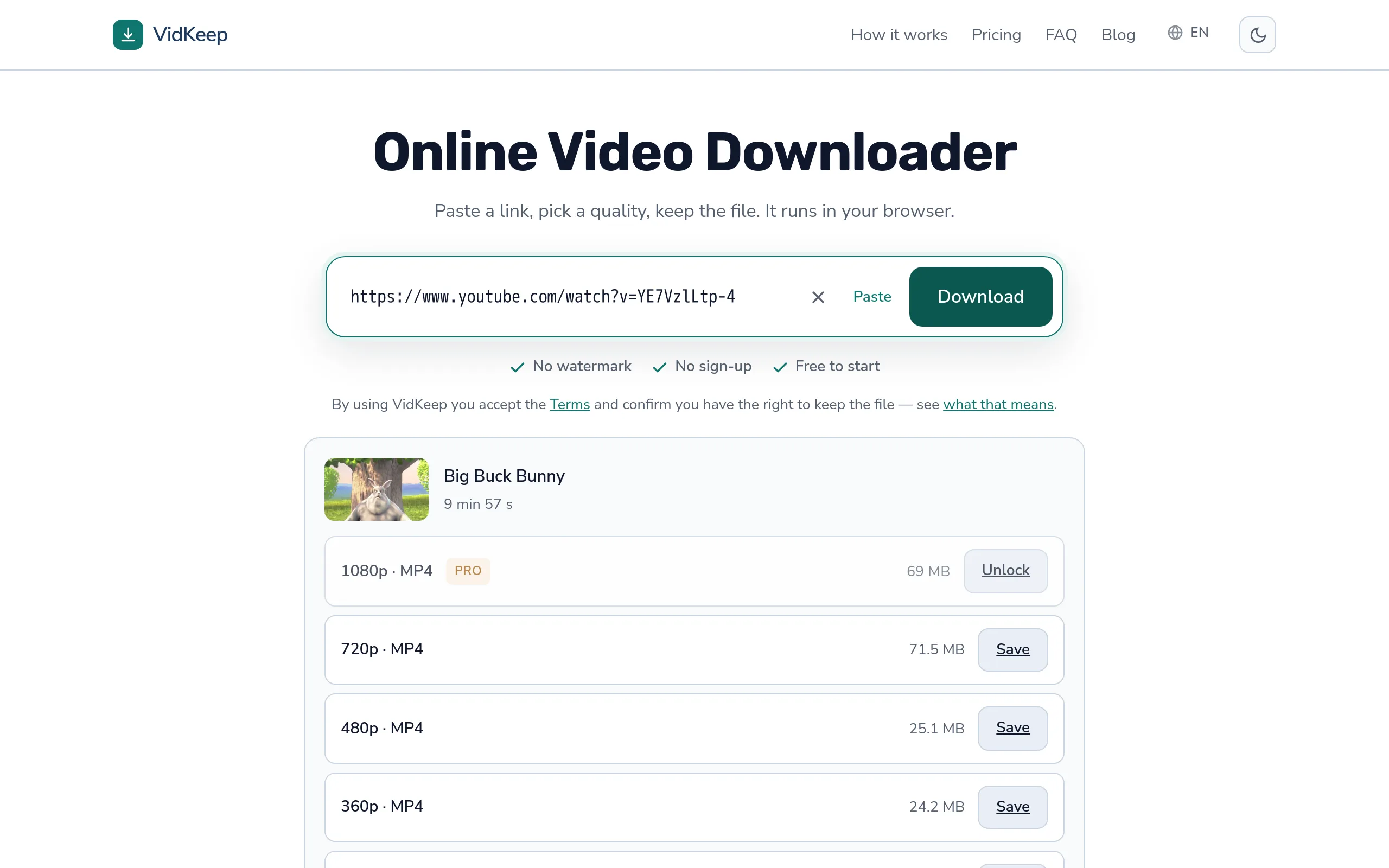
Where this shows up in a way you can check: our interface names the format of every option and shows the platform's own size figure beside it. If the file you receive matches that size and that resolution, nothing happened to it in between. That is a verifiable claim rather than an adjective, which is the point — we would rather be checkable than sound impressive.
And the honest ceiling: we cannot give you better than the platform holds. Nobody can. A tool advertising quality above what the source offers is upscaling, and the extra pixels are invented.
Frequently asked questions
Can I download a video in its original quality?
Not the uploader's file — platforms discard it on upload. The best available is the platform's top version, passed through without further re-encoding.
What does 'lossless' mean for video downloads?
Strictly, nothing: platform video is already lossy. Sensibly, it means no additional loss was added during download.
How do I know if a tool re-encoded my file?
Compare size and resolution to what was advertised, and look at detailed areas like foliage or hair. Long processing after the fetch is another sign.
Is a re-encoded download noticeably worse?
One generation is usually subtle. It becomes obvious when encodes stack — download, edit, re-upload, download again.
Does converting to MP3 lose quality?
Yes, it is a genuine re-encode, because platforms do not store MP3. A high bitrate keeps the loss inaudible.
Is upscaled 4K real?
No. Upscaling enlarges the frame without adding detail. The file is bigger and the picture is not better.
VidKeep runs in your browser — paste a link, pick a quality, keep the file. No account, no app.
Open VidKeepLast updated: 2026-10-30. We revise our guides as the platforms change.