How-to
Getting Just the Sound From a TikTok

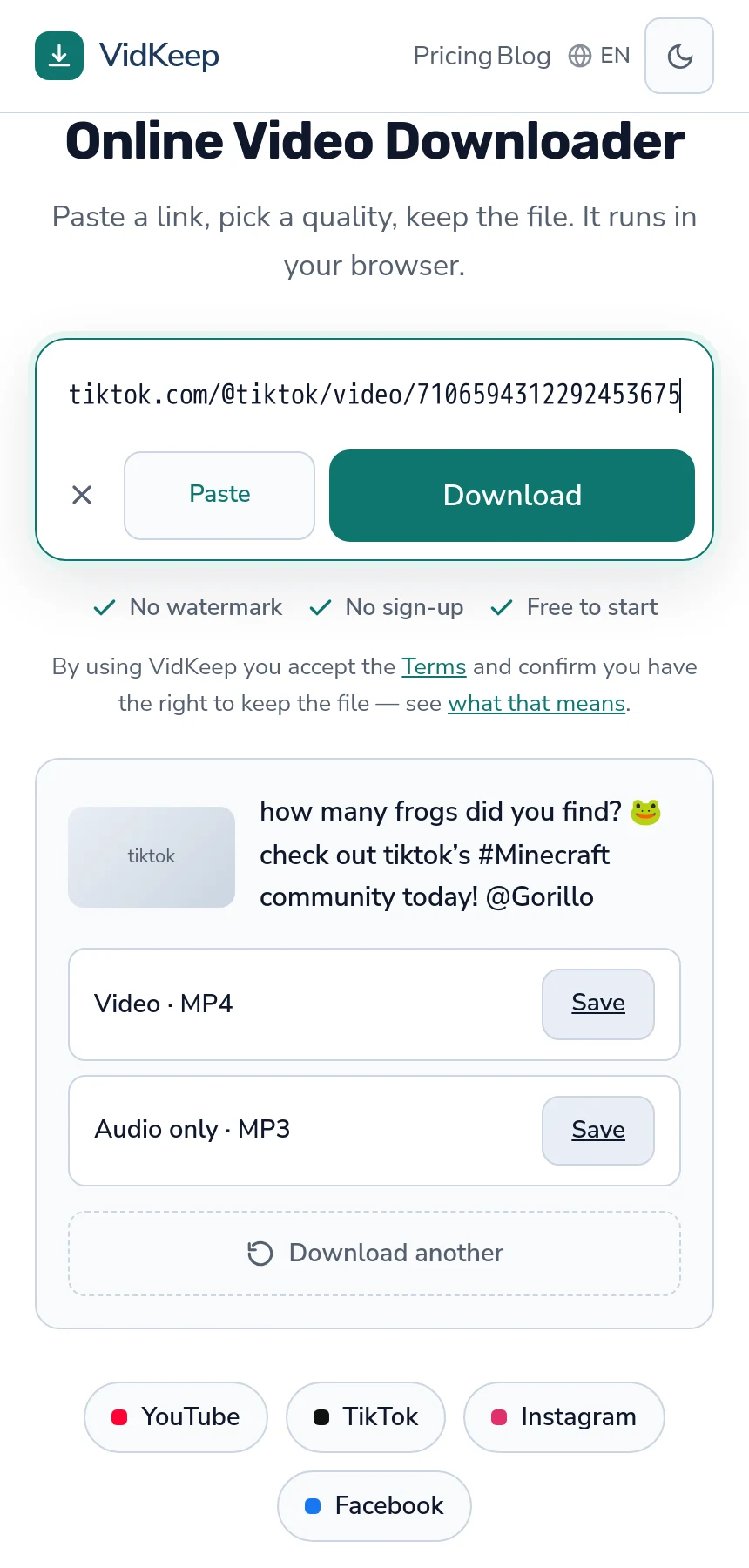
Paste the link and take the Audio only · MP3 row. A short clip comes out around half a megabyte — we measured one at 0.58 MB. What you get is the finished soundtrack of that video: the music, the voice-over and any effects mixed together, exactly as it plays. Not the original track, and not separable afterwards.
The two steps
- Copy the video link — Share, then Copy link in the app, or the address bar on desktop.
- Paste it in and choose Audio only · MP3. It sits below the video row.
There is one video option and one audio option, because TikTok stores a single finished file per clip rather than a ladder of qualities — which is why there is no quality menu either.
The MP3 is produced by decoding the video's audio and encoding it again, which is a genuine second generation. At the bitrate we use the difference is inaudible on normal equipment, and it is worth knowing rather than pretending the conversion is free.
What the file actually contains
This is the part that disappoints people who wanted a song, and it is worth being precise about.
A TikTok has one audio track — the finished mix. If the creator talked over the music, the file contains the talking and the music together. If there are sound effects, they are in there. If the music was trimmed to fifteen seconds, you get fifteen seconds.
Nothing separates those afterwards. Extraction takes the track that exists; it does not isolate instruments, remove voices or recover a full song from a clip. Those are different technologies and none of them is what a downloader does.
So if the goal is the song, the answer is to find the song — the artist and title are usually shown on the video itself, and a licensed source gives you the full track at full quality without any of this.
‘Original sound’ versus a licensed track
TikTok labels audio in two broad ways, and the distinction predicts what you will get.
| Label | What it usually is | Extracted file |
|---|---|---|
| Original sound — username | Recorded or assembled by that creator | Their mix, whatever it contains |
| A named song | A licensed track from the platform's library | The clip's portion, over any voice |
The second row is where rights get sharper. Music is the most actively enforced category in this whole area, and automated matching finds it reliably — the terms-versus-law distinction applies here too.
Extracting a licensed song's clip to reuse it elsewhere is the case most likely to cause trouble, and it is also the one with an easy legitimate alternative: use the platform's own sound feature, which is licensed for exactly that.
When audio only is the right choice
- A voice-over or explanation you want to listen to rather than watch.
- A sound you made and want to keep or reuse.
- Storage is tight. Audio is a fraction of the video's size.
- You are collecting reference material where the picture adds nothing.
What it is not good for is building a music library. A fifteen-second clip of a song, mixed with whatever else was in the video, re-encoded once, is a poor substitute for the track — and the track is available legitimately.
Where the file goes and what to call it
An MP3 lands wherever your browser puts downloads: the Downloads folder on a computer, the Files app on iPhone, the Downloads folder on Android.
On iPhone it will not appear in the Music app by itself — Music, like Photos, is a managed library rather than ordinary storage, so the file sits in Files until something puts it there deliberately. The same logic that hides downloaded videos from Photos applies to sound.
Every MP3 arrives with the same name, audio.mp3, whatever the video was called, so two downloads are easy to mix up, and a browser may rename the second. Renaming it while you still remember what it was takes two seconds and saves genuine confusion later.
One practical note: the file carries no artist or title tag, only the video's own copyright and ID notes, because a downloader cannot know the song. Guessing from a caption produces wrong tags, and a wrong tag in a music library is harder to notice and fix than an empty one.
What it will not do
Four limits, all of them structural rather than fixable.
It cannot separate music from speech. One mixed track is what exists.
It cannot improve the audio. A quiet recording or a poor microphone is in the source, and extraction inherits everything.
It cannot reach private accounts. Same as video: if it does not play signed out, nothing external gets it.
It cannot extend the clip. Fifteen seconds of a song is fifteen seconds; the rest of the track was never in the file.
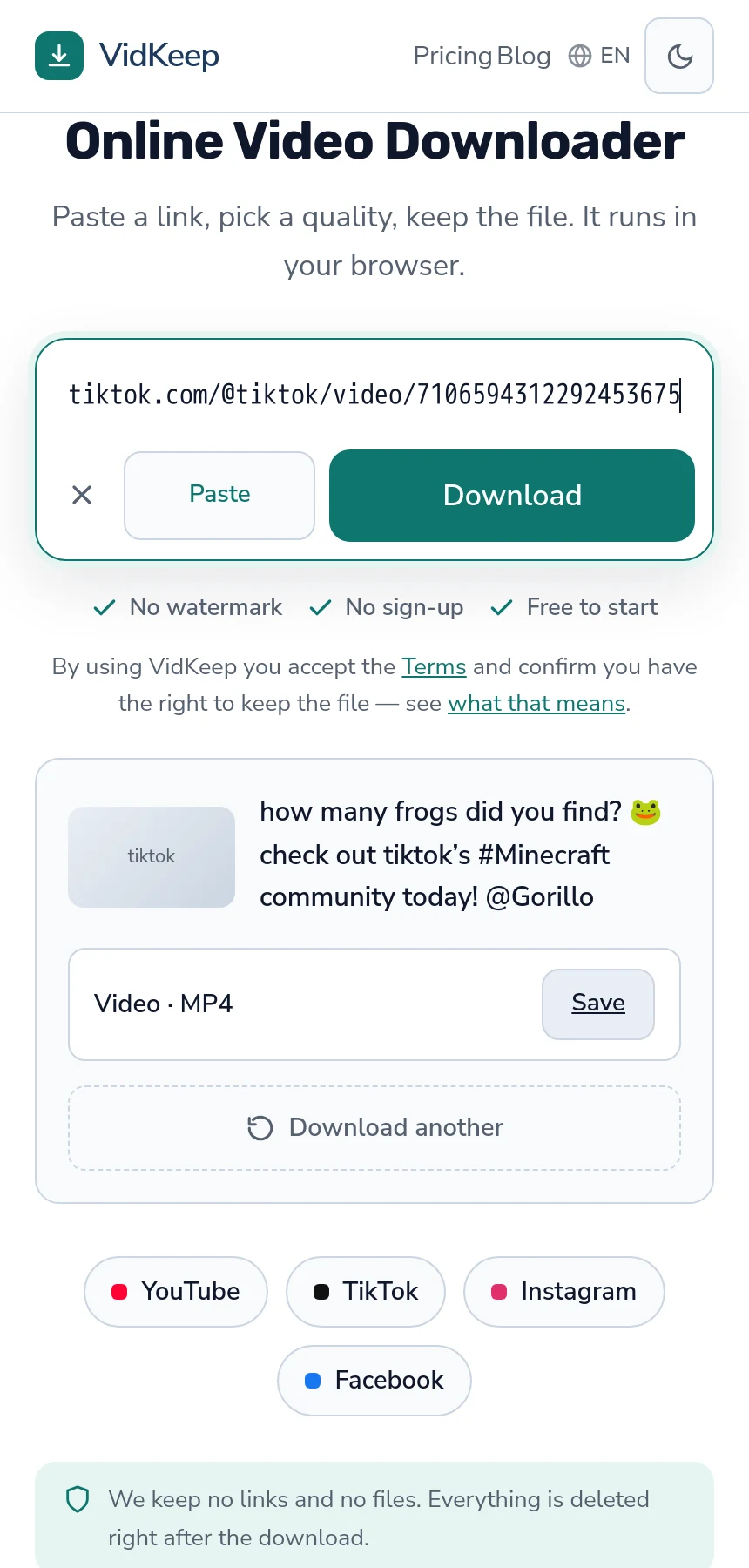
The button in that screenshot did not exist yesterday
Writing this article is what produced the feature it describes, and the sequence is worth recording because it is a small lesson in how gaps hide.
Our audio conversion has always worked for TikTok. Before writing anything we tested it directly and got a valid MP3 back — 0.58 MB, correct content type, no errors. The capability was there and had been for as long as the endpoint existed.
The button was not. Our interface added the MP3 row only when the platform reported a separate audio track, which is how YouTube works — video and audio stored as distinct streams. TikTok stores one finished file with the sound already inside it, so there was no separate audio track to detect, so the row never appeared. The same was true of X, Twitch and Snapchat: conversion worked on all four, and none of them offered it.
Nothing surfaced this. No error was logged, because nothing failed — a feature that is never offered is never attempted. It took writing an article about a capability and checking whether we actually had it, which is not a code review any process would have scheduled.
The fix was one condition: show the row whenever we found something to download, rather than only when a separate audio stream exists. We verified the conversion works on each platform first — TikTok 0.58 MB, X 1.08 MB, Twitch 1.44 MB, Snapchat 0.46 MB, all returning proper audio — because shipping a button that fails would be worse than not having one.
This is the third thing fact-checking a blog post has found in our own product this week. The other two were Twitch clips reported as having no playable format when three good files existed, and an Instagram profile link answered with a message about a post the person never opened. All three were invisible from the inside and obvious the moment someone tried to write down what the product does.
Frequently asked questions
How do I download just the sound from a TikTok?
Paste the video link and choose the Audio only · MP3 row below the video option. A short clip comes out around half a megabyte.
Do I get the original song?
No. You get the video's finished soundtrack — music, voice and effects mixed together, trimmed to the clip's length.
Can I remove the talking and keep the music?
No. The audio is one mixed track. Separating its parts is a different technology entirely.
Why is the file so small?
Audio is a fraction of a video's size, and TikToks are short. Half a megabyte for a brief clip is normal.
Is downloading a sound legal?
Music is the most actively enforced category in this area. Reusing a licensed track elsewhere is the risky case; the platform's own sound feature is licensed for that.
Why does the file have no artist or title?
Because a downloader cannot know them. Guessing from a caption produces wrong tags, which are worse than empty ones in a music library.
VidKeep runs in your browser — paste a link, pick a quality, keep the file. No account, no app.
Open VidKeepLast updated: 2026-11-01. We revise our guides as the platforms change.