Guides
Downloading YouTube in 8K

8K video on YouTube is real — a small number of channels genuinely upload it. Almost everything else labelled 8K is not: it is upscaled 4K, or a tool putting an impressive number on an ordinary file. And even when it is real, the files are enormous, the codec is one older devices cannot decode, and a display that can actually show it is rare.
What 8K actually means
| Name | Resolution | Pixels vs 1080p |
|---|---|---|
| 1080p | 1920 × 1080 | Baseline |
| 1440p | 2560 × 1440 | 1.8× |
| 4K (2160p) | 3840 × 2160 | 4× |
| 8K (4320p) | 7680 × 4320 | 16× |
Sixteen times the pixels of 1080p. That is the number worth holding onto, because everything downstream — file size, decoding effort, bandwidth — scales from it.
The content is genuinely rare. Filming in 8K requires specific equipment, editing it requires a serious machine, and uploading it takes hours. Most channels that could do it have no reason to.
Where it does turn up is a predictable set of categories: landscape and nature footage, camera manufacturers demonstrating hardware, technology channels testing what is possible, and a handful of travel producers. Almost none of it is the kind of video people usually want to save, which is part of why the demand for 8K downloads is so much larger than the supply of 8K content.
Can you see it? Almost certainly not
This is the part the marketing skips, and it is decided by physics rather than opinion.
Resolving 8K detail requires a very large screen viewed from close range, or a screen of ordinary size viewed from closer than anyone sits. At normal television distances, most people cannot reliably distinguish 4K from 1080p, let alone 8K from 4K.
On a phone or a laptop the question does not arise: the panel has nowhere near enough pixels to display it, so the picture is being scaled down before you see it. Downloading 8K for a device that will shrink it is storage spent on data thrown away during playback.
Where it genuinely matters is production. If you are cropping, stabilising, or reframing footage, extra resolution is real headroom — you can cut into the frame and still have a sharp 4K result. That is a workflow argument, not a viewing one.
What it costs to handle
Three costs, and they compound.
Size. Ten minutes of genuine 8K runs to several gigabytes. Not a nuisance — a constraint on where it can be stored and how it can be moved.
Codec. YouTube generally serves 8K in newer, efficient codecs, which is exactly the category older hardware cannot decode. A device without support falls back to software decoding, and software-decoding 8K is beyond most machines.
Playback. Even with hardware support, 8K demands sustained throughput from storage. Playing one from a slow drive or a memory card stutters regardless of how capable the processor is — which is why card speed matters.
The practical outcome is that a successfully downloaded 8K file frequently will not play on the machine that downloaded it, which is a frustrating way to spend several gigabytes.
There is a fourth cost that only appears later: what to do with the file. Several gigabytes will not fit on a FAT32 memory stick, will take a long time to copy anywhere, and will not upload to most services without being re-encoded — which discards the resolution you went to the trouble of obtaining. An 8K file is awkward to keep and awkward to move, and both of those are permanent properties rather than one-time inconveniences.
Downloading at 4K instead sidesteps every one of these while producing a file that looks identical on any consumer display. That is why the recommendation in this article is not ‘8K is fake’ — some of it is entirely real — but that the real version is rarely the one you want.
Spotting fake 8K
Since real 8K content is rare and the label is attractive, most claims are not what they appear.
- Check YouTube's own quality menu first. If it does not offer 4320p, the video is not 8K and nothing can make it so.
- Distrust size. Genuine 8K is measured in gigabytes. A 200 MB file claiming 8K is upscaled.
- Look at detail. Upscaling enlarges without adding — the picture is softer than an honest 4K version, not sharper.
- Be sceptical of universal offers. A tool offering 8K for every video is not detecting anything; it is applying a label.
Upscaling is not fraud in a technical sense — the file really is 7680 pixels wide. It simply contains no more information than the 4K version it was stretched from, which is what people mean when they ask whether it is real. The same pattern applies to every quality claim.
Why YouTube offers it at all
Given how few people can watch it, the obvious question is why the option exists.
Part of the answer is storage economics running the other way from what you would expect. YouTube keeps the highest version a creator uploads because it is the source for every lower rung — the ladder is generated from it. Serving that top rung to the handful of viewers who request it costs little once it already exists.
Part is future-proofing. A video uploaded in 8K today will still be the highest-quality copy available when displays catch up, and re-encoding from a preserved high-resolution source is far better than upscaling from a 1080p one later.
And part is simply that creators with the equipment want the option, and the platform competing for those creators offers it. Very little of this has to do with viewers, which is why the viewing experience of 8K is so often disappointing relative to the specification.
When 8K is worth pursuing
A short list, but not an empty one.
Editing with reframing. Cropping into 8K and delivering 4K keeps full sharpness. Genuine headroom.
A very large display, close up. Above the size where 4K starts to show its limits, which in practice means large professional or installation screens.
Archiving your own material. If you shot it in 8K, keep it in 8K. Downscaling later is always possible; the reverse is not.
Testing. Checking whether a system handles it is a legitimate reason to fetch one, and a quick way to learn what your hardware can genuinely do.
For watching, 4K is the sensible ceiling on any consumer display, and 1080p is genuinely sufficient for most viewing — matching quality to screen covers where the returns stop.
The wider pattern worth recognising
8K claims are the clearest example of something that runs through this whole category.
Resolution is the only quality number most people know, so it is the number tools advertise. It is also the least informative one: bitrate decides how good a given resolution looks, the codec decides how efficiently it is stored, and the screen decides how much of any of it you can perceive.
A tool offering a bigger number than the platform holds is not giving you more picture. It is giving you a larger frame containing the same information, and charging you storage and decoding effort for the privilege.
The useful habit is to check what the source actually has, take the highest genuine version that suits your screen, and ignore anything offering more than that. It resolves 8K claims, 4K claims on TikTok, and ‘enhanced quality’ buttons in one step.
It also inverts a habit most people have. The instinct is to treat the top of the list as the safe default — you cannot go wrong taking the best. With resolution you can: the top option is the largest file, the most demanding codec, the one most likely to stutter or refuse to play, and frequently indistinguishable from the row below it on the screen you own.
A better default is one rung below the maximum, moving up only when you know why. That single change avoids most of the problems this blog's troubleshooting articles exist to solve, and it costs almost nothing in picture quality.
Our ceiling is 4K, and one thing about that is not yet right
Our quality list runs from 144p to 2160p. There is no 8K row, and that is a deliberate ceiling with a straightforward reason — plus one consequence we found while writing this article that we are not happy with.
The reason for the ceiling is the hardware. This service runs on a single CPU with 1.8 GB of memory, sharing a disk with another product. Assembling an 8K file means fetching several gigabytes, holding them on disk, merging, and streaming the result — for one download. It would occupy the machine for minutes and risk the disk guard that protects both products, in service of a file most people could not play.
The consequence we are less pleased about concerns how the list is built. Our code maps each stream to the nearest recognised step, and because 2160p is the highest step, an 8K stream on a video that has one is mapped onto that row. Where both exist, the selector prefers the higher bitrate — so the size shown next to 2160p can come from the 8K stream, while the file you actually receive is assembled with a height limit of 2160 and is genuinely 4K.
The download was always correct — the file really was 4K. The number beside it could be too large on the small number of videos that offer 8K, which is precisely the kind of misleading figure this blog spends its time warning about. It is fixed now: streams above our ceiling are discarded rather than folded into the 2160p row, so the size shown belongs to the stream you will actually receive.
What we did not do is add an 8K row to look competitive. Raising the ceiling is not possible on this hardware without making the service worse for everyone using it for ordinary downloads, and a row we cannot serve would be a worse lie than a number that was slightly too big.
Frequently asked questions
Is 8K on YouTube real?
Some genuinely is — a small number of channels upload it. Most claims of 8K downloads are upscaled 4K or simply a label applied to an ordinary file.
Can I see the difference between 4K and 8K?
Almost certainly not. It requires a very large screen at close range. On a phone or laptop the panel cannot display it at all.
How big is an 8K file?
Several gigabytes for ten minutes. Anything claiming 8K at a few hundred megabytes is upscaled.
Why will my 8K download not play?
It usually needs hardware decoding for a newer codec plus sustained storage throughput. Many machines that can download one cannot play it.
When is 8K actually worth it?
Editing with reframing, very large displays, and archiving your own 8K footage. For watching, 4K is the sensible ceiling.
Do you offer 8K downloads?
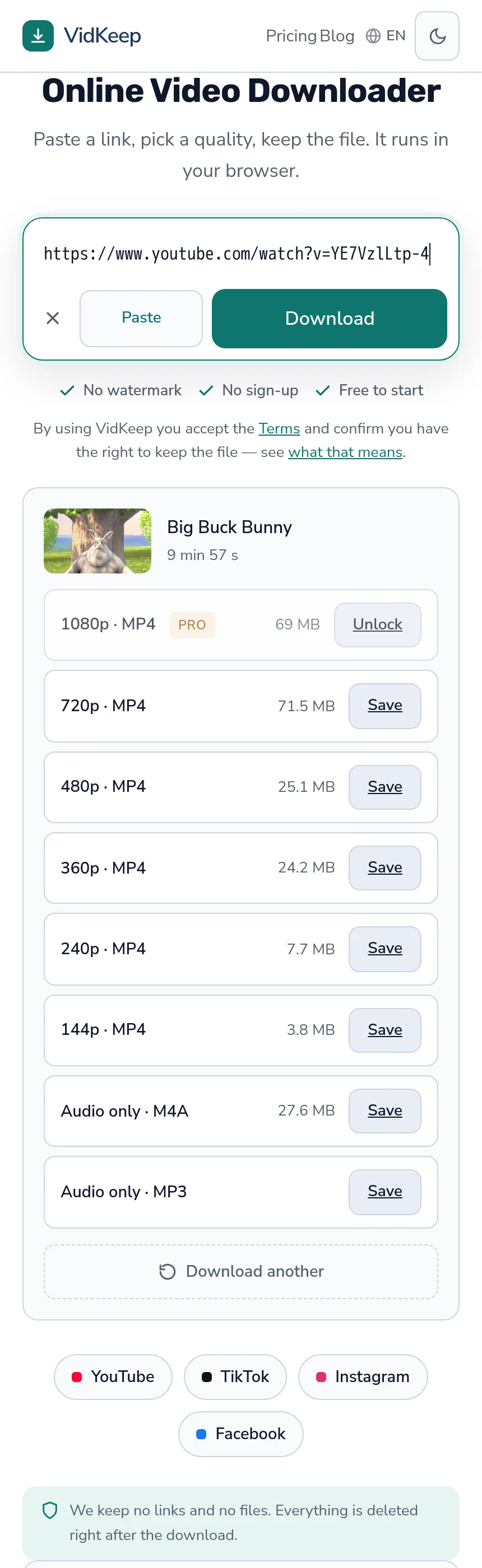
No. Our list tops out at 2160p, because assembling 8K on a single-CPU server would occupy it for minutes to produce a file most people cannot play.
VidKeep runs in your browser — paste a link, pick a quality, keep the file. No account, no app.
Open VidKeepLast updated: 2026-10-16. We revise our guides as the platforms change.