How-to
How to Download Instagram Stories

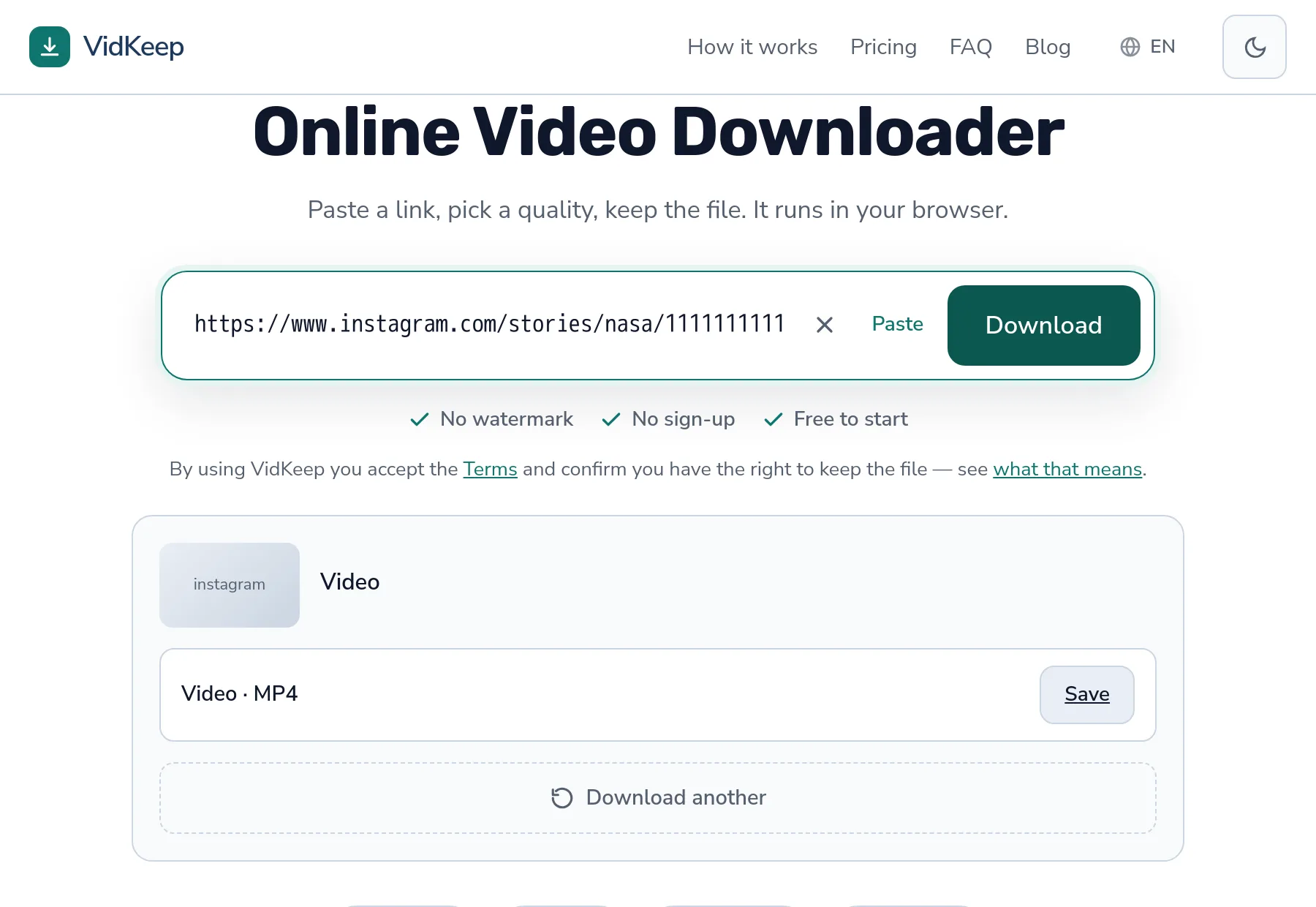
Instagram Stories disappear 24 hours after posting, and once they are gone no tool can bring them back. To save one, paste the story link into VidKeep while it is still live. Two limits worth knowing before you try: the account must be public, and we save video Stories — a photo Story comes back with a clear note instead of a file. Here is how it works and why those limits exist.
How do I save an Instagram Story?
- Open the Story on instagram.com or in the app while it is still active.
- Copy the link. In the app: tap the three dots on the Story, then Copy link. In a browser the address bar already holds it — it looks like
instagram.com/stories/username/…. - Paste and save. If the Story is a video from a public account, you get an MP4. If it is not, you get a plain explanation of why.
Nothing to install and no account needed on your side. Which is also the reason for the limits below — a tool with no login sees exactly what a logged-out visitor sees.
Why do Stories disappear after 24 hours?
Everything else about Stories is secondary to this: they expire. Twenty-four hours after posting, Instagram removes the Story from public view. The link keeps its shape but points at nothing.
This means there is no such thing as downloading an old Story. Not through us, not through any tool, not through a paid service promising archives. If the 24 hours have passed, the content is not publicly available any more, and a downloader only reads what is public.
The practical consequence: if a Story matters to you, save it the same day. Waiting until the evening is usually fine; waiting until tomorrow is not.
There is one exception worth knowing. If the creator added the Story to a Highlight on their profile, it stays available indefinitely — Highlights are not on the 24-hour clock. A Highlight is a normal, permanent part of the profile.
Can I save Stories from a private account?
A private account's Stories require a signed-in follower to view. A browser tool has no account, so it sees nothing — the same nothing you would see if you opened the link in a private window while logged out.
This is not a wall we could remove by trying harder. Any service claiming to fetch private Stories is doing one of two things: using someone's logged-in session, or lying. Both are reasons to close the tab. We wrote about what private really means in more detail, because the same misunderstanding shows up on every platform.
Test it yourself in five seconds: open the Story link in a private browser window without logging in. If you can see it there, a tool can fetch it. If you cannot, no tool can.
Photo Stories behave differently
Stories come in two kinds, and only one of them is a video.
| Story type | What happens |
|---|---|
| Video Story | Downloads as an MP4 with sound |
| Photo Story | Not saved — you get a note saying the Story is a photo |
We tested this while writing: the same tool, two public accounts, two different answers. One returned a video file; the other returned a clear ‘this is a photo’ response because the account's current Story was a still image.
For a photo Story, a screenshot is the honest workaround. It gives you the image at your screen's resolution, which is enough for a reference and not enough for reprinting — and reprinting someone's photo needs their permission anyway.
A quirk of Story links worth knowing
Story URLs contain a long numeric ID: instagram.com/stories/username/3400000000000000000/. You might reasonably assume that number selects a specific Story.
In practice, what comes back is the account's currently active Story, not the exact frame the number points at. If someone posted five Stories today, you may well get a different one than the one you were looking at.
Why: the ID identifies a frame that may already have rotated out of the 24-hour window, and what remains publicly readable is whatever is live right now. It is not a bug in the tool so much as a consequence of how ephemeral content works.
So if you need one specific frame from a multi-part Story, check what you received before assuming it is the right one.
What we actually see when a Story link arrives
Worth describing precisely, because it explains every answer this tool can give you — and we verified each of these cases against the live service rather than assuming.
A Story link is not like a video link. For an ordinary Instagram post, there is a permanent object with a stable address: ask for it and you get the same thing tomorrow. A Story is ephemeral by design — the platform expects it to be gone within a day, and everything about how it is served reflects that.
When we resolve a Story link, one of three things comes back. Either a video entry, which we hand you as an MP4. Or an image entry, in which case we say plainly that the Story is a photo rather than returning something you did not ask for. Or nothing at all, which means the account is private, the Story has expired, or the account has no active Story at this moment.
That third case is worth dwelling on, because it produces the most confusing experience. ‘Nothing at all’ looks identical whether the Story expired an hour ago or the account is private — the public web simply does not distinguish them for a logged-out visitor. We cannot tell you which it was, and any tool that claims to is guessing.
This is also why we do not offer ‘Story archives’ or scheduled Story grabbing, features you will find advertised elsewhere. To archive Stories continuously you would need to poll an account around the clock, which is exactly the automated behaviour platforms block and creators object to. Saving a Story you are currently watching is an ordinary thing to do. Monitoring someone's account is a different activity with a different name, and we would rather not build the tool for it.
Frequently asked questions
Can I download Instagram Stories after 24 hours?
No. Once a Story expires it is no longer publicly available, and no tool can retrieve it. The exception is a Story the creator saved to a Highlight, which stays on their profile.
Can I download Stories from a private account?
No. Private Stories need a signed-in follower account, which a browser tool never has. If you cannot see it logged out, no tool can fetch it.
Why did I get a note instead of a file?
Most likely the Story is a photo rather than a video. We save video Stories; for a photo Story a screenshot is the practical route.
Will the account owner know I saved their Story?
Downloading does not notify anyone. Viewing a Story while logged in does show you in their viewer list, but that happens in the app, not in the download.
Can I download Highlights?
Highlights are permanent rather than 24-hour content, so they behave like ordinary posts and do not have the expiry problem Stories do.
I got a different Story than the one I was watching
Story links resolve to the account's currently active Story rather than one exact frame. Check what you received if a specific frame matters.
VidKeep runs in your browser — paste a link, pick a quality, keep the file. No account, no app.
Open VidKeepLast updated: 2026-08-07. We revise our guides as the platforms change.