How-to
How to Download Videos on Android Without an App

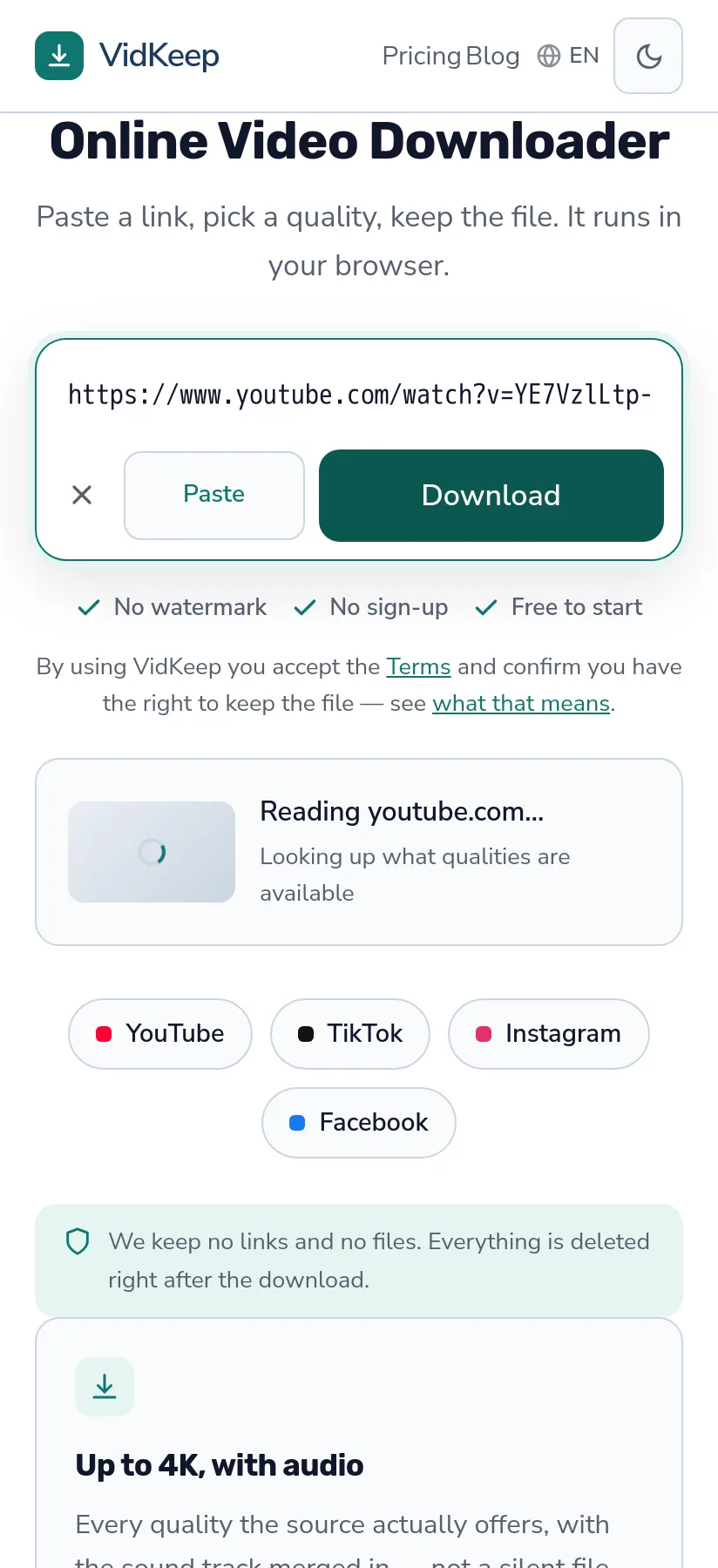
On Android you do not need an app to save a video. Open VidKeep in Chrome, paste the link, pick a quality, tap Save — the file lands in your Downloads folder and shows up in Gallery within a minute. No APK, no storage permission, nothing running in the background. Below: the exact steps, where Android puts the file, and why the app route is usually the worse one.
Save a video on Android in three steps
- Copy the link. In the app you are watching, tap Share → Copy link. In a browser, copy it from the address bar.
- Paste it into the downloader. Chrome, Firefox, Samsung Internet, Brave — any of them work, because this is a normal web page, not an extension.
- Pick a quality and tap Save. For higher qualities we join video and sound first, so the row shows a timer; then Chrome shows a download notification, and tapping it opens the file straight away.
That is the whole process. Nothing is installed, so nothing stays on your phone afterwards except the video itself.
Where Android puts the file
Android is friendlier than iOS here: downloads go to a normal folder you can browse, and the Gallery picks up media on its own.
| What you saved | Where it goes | Shows in Gallery? |
|---|---|---|
| Video (MP4) | Internal storage / Download | Yes, usually within a minute |
| Audio (MP3) | Internal storage / Download | No — it appears in your music app instead |
Two ways to find it: open Chrome → three dots → Downloads, or use the Files app that came with your phone (Samsung calls it My Files). Both point at the same folder.
If a video does not appear in Gallery straight away, it is the media scanner running late, not a lost file. Opening it once from the Downloads list usually nudges the scanner. A reboot always does.
Why an app is the riskier choice here
Search for a downloader on Android and most results push an APK. It is worth understanding what you trade for that convenience.
- Permissions. A downloader app typically asks for storage access, and often for network and notification access too. A web page asks for almost nothing: the Paste button may ask to read the clipboard, and that is all.
- Sideloading. Many of these apps are not on Google Play, so you have to allow installation from unknown sources — a setting that then stays on for everything else.
- Ads inside the app. Free downloader apps monetise with aggressive ad SDKs, which is where the tracking lives.
- It stays after you are done. A web tool is gone the moment you close the tab. An app keeps running, updating and asking for attention.
None of this means every app is malicious. It means the app route asks you to trust a lot more for the same result. If a browser can do the job, that is the smaller risk — and for downloading a video, a browser can do the job.
Which quality to pick, and what the sizes really look like
Android phones vary far more than iPhones — a flagship with 512 GB and a budget phone with 64 GB are different worlds. So the file size matters more than the label.
Here is a real three-and-a-half-minute video, as our tool listed it on 31 October 2026:
| Quality | Size | When it makes sense |
|---|---|---|
| 2160p | 232.5 MB | Only if the file will be watched on a big screen |
| 1080p | 80.5 MB | You may watch it on a bigger screen later |
| 720p | 28.5 MB | Fine for the phone itself |
| 360p | 11.3 MB | Low storage, or mobile data |
Going from 720p to 1080p roughly triples the file here, and 2160p triples it again. The size depends on the bitrate the uploader chose as much as on the resolution, which is why you should read the number next to each quality rather than guess from the label.
When a download fails on Android
Most failures come down to four things, and none of them need an app to fix:
- Storage is full. Android cancels quietly. Settings → Storage shows the truth in one screen.
- Data Saver is on. It throttles or blocks big transfers on mobile data. Settings → Network → Data Saver.
- Battery optimisation killed the tab. Aggressive power saving on some phones suspends Chrome in the background. Keep the tab in front until it finishes.
- The link was not a video link. A profile or a playlist page is not a video — open the video itself first, then copy.
If the file downloads but has no sound, that is a different problem with a specific cause, and it is worth reading about — it is the most common complaint in this whole category.
What Android does with a file the moment it arrives
Worth explaining, because it clears up nearly every ‘where did my video go?’ question on Android — and the answer is different from iPhone in one important way.
When Chrome finishes a download, it writes the file into the shared Download folder and then tells Android's media scanner about it. The scanner is a background service whose job is to index new media: it reads the file, works out that it is a video, pulls out the duration and a thumbnail, and adds an entry to the media database. Gallery, Photos and every other app that shows your videos read from that database, not from the folder directly.
That indirection is why a freshly downloaded video sometimes appears in Downloads instantly but in Gallery a minute later — the file is there, the index has not caught up. It is also why an MP3 never shows in Gallery at all: the scanner files it under audio, so it surfaces in your music app instead. Nothing is lost, it is simply categorised.
Compare that with iPhone, where a browser download lands in Files and cannot enter Photos without you deliberately moving it. Android's model is more open: one shared folder, one index, any app can read it. That openness is genuinely convenient — and it is also exactly why downloader apps ask for storage permission, because with it they can read every media file you own, not just the one you downloaded. A browser never gets that access, which is the practical argument for doing this in a tab.
One more consequence: because the file sits in shared storage, uninstalling anything later never removes your videos. They belong to the phone, not to an app. That is the outcome you want from a download — a file you own, not a file locked inside somebody's player.
Frequently asked questions
Do I need to install an app to download videos on Android?
No. It works in Chrome, Firefox, Samsung Internet or Brave with nothing installed and no permissions granted.
Where do downloaded videos go on Android?
Internal storage → Download. Open Chrome's Downloads list or your Files app to find them. Videos also appear in Gallery once the media scanner indexes them.
Why is my video not showing in Gallery?
The media scanner has not indexed it yet. Open the file once from Downloads, or reboot the phone — the file itself is already saved.
Is it safe to download videos without an app?
Safer than with one, in fact. A web page cannot request storage access or install anything; an APK from outside Google Play can do both.
Can I download on mobile data?
Yes, but check the file size first and turn off Data Saver if the download stalls. Each quality shows its size; a “~” in front means an estimate from the bitrate.
Does this work on Samsung, Xiaomi and other brands?
Yes. It is a web page, so the phone brand does not matter. Only the name of the Files app differs — Samsung calls it My Files.
VidKeep runs in your browser — paste a link, pick a quality, keep the file. No account, no app.
Open VidKeepLast updated: 2026-11-07. We revise our guides as the platforms change.