Guides
Offline Video for Children

The strongest argument is not offline access — it is that a downloaded file has no feed. It plays what you chose, stops at the end, and offers nothing next. No autoplay, no recommendations, no comments, no advertising. For a car journey or a waiting room, that difference matters more than the storage.
What a file removes
| In an app | With a downloaded file |
|---|---|
| Autoplay to the next video | Stops at the end |
| Recommendations alongside | Nothing to click |
| Comments | None |
| Advertising | None |
| Needs a connection | Works anywhere |
| Content can change | Fixed, and known |
The first two rows are the ones parents notice. An app's job is to keep someone watching, and it is very good at it — a session that was meant to be one episode becomes an hour because the next thing starts on its own.
A folder of files does the opposite. It ends by itself, which makes it a far easier thing to set boundaries around than an app where every boundary has to be enforced by a person.
What quality to take
Lower than instinct suggests, and for reasons that have nothing to do with saving money or being frugal about storage.
480p on a phone or a small tablet is genuinely hard to distinguish from 1080p at the distance a child holds a device, and it is roughly a third of the size. That means three times as many episodes in the same space, which is the metric that matters on a journey — the planning arithmetic.
It also decodes with less power, so a tablet lasts longer. On a long car journey battery runs out before storage does, and a file in a codec the device handles in hardware is noticeably kinder — which codec that is.
The one exception is a television. If the plan is casting to a large screen at home, take the higher quality — and MP4 with H.264.
Where to keep it and how to hand it over
- One folder per child or per trip. Not a general downloads folder, which mixes their things with yours.
- A player without a browser attached. Any local video player shows the folder and nothing else, which is the entire point.
- Rename the files. Platform captions are unreadable; an episode name is something a child can navigate themselves.
- Check each file plays before you leave. A broken download discovered in a car is not recoverable — the check takes seconds.
The last point is worth building into the routine. A partial file frequently plays the first minute and stops, which is the worst possible failure with a child in the back seat.
Two smaller things make a folder easier for a child to use alone. Keep it short — twenty files rather than two hundred, so scrolling is not part of the experience. And put a number at the front of each name if there is an order, because a child who cannot yet read titles can follow numbers.
Both take a minute at download time and remove the most common reason a parent gets handed the tablet back mid-journey.
The safety part that actually matters
The risk in this whole area is not the video itself. It is the pages people end up on while looking for a way to save one.
Search for a downloader and a large share of results are pages built around advertising, with fake download buttons, prompts to install something, or a chain of redirects before anything happens. A child left to find their own is a child clicking whichever button is biggest — which is how those pages are designed.
The practical answer is that downloading is a parent's job, done once in advance, and the child simply gets a folder. That removes the entire category of risk rather than trying to teach a nine-year-old to evaluate a page.
Two rules worth stating anyway, because they generalise: a video download is never an installer, and a legitimate tool never asks for a login — what to check.
Rights, briefly and honestly
Saving a video for a child in your own household to watch offline is personal use, which is the most defensible category there is — and it is not unlimited.
Where it is clearly fine: public videos watched by your own family, material you have licensed, and anything openly licensed or in the public domain.
Where it needs thought: showing downloaded material to a group beyond your household — a class, a party, a club. That is closer to a public showing than to personal use, and it is a different question — the educational case is here.
Where it is not fine: building a collection from a paid service and treating it as your own library. Paid content comes with terms, and a subscription is not a purchase.
Children's content has one wrinkle worth knowing. A great deal of it on open platforms is uploaded by accounts that do not own it — episodes of programmes reposted from broadcast, sometimes stretched or altered to evade detection. Those disappear regularly, and a folder built from them empties itself over time.
The official channels are the more durable source and usually the better copy. They are also the version where the rights position is simple, which matters more here than for most content because family libraries get shared between households.
Building the folder without spending an evening
The realistic version of this is about fifteen minutes rather than an evening project, and pacing matters considerably more than volume.
Download one at a time with gaps. Ten episodes fired off in a minute produces rate limiting rather than ten files — the pacing that works.
Do it the night before, on home Wi-Fi. Not at the airport, where the network is shared and drops connections mid-transfer.
Check storage first. A download needs roughly twice the file size free, and a tablet that has been accumulating for a year rarely has it — what is actually filling it.
Keep a standing folder. The same twenty files serve journey after journey, and re-downloading each time is work nobody needs to repeat.
What downloading does not solve
Worth being clear about, because a downloaded file is not a parental control and should not be sold as one.
It does not filter anything. You choose what goes in the folder, which is a feature, and it means the vetting is entirely yours.
It does not stop a child opening the app. If the device has the app and a connection, the feed is one tap away. Offline files are a better default rather than a barrier.
It does not manage time. A folder with forty episodes autoplays nothing and still contains forty episodes.
The honest framing is that a downloaded file removes the machinery designed to extend sessions, and leaves everything else to you. That is a meaningful improvement and it is not a solution to screen time.
What it does change is the shape of the negotiation. ‘Two episodes’ is a boundary a child can see the end of when the folder holds two episodes, and an abstraction when the next one starts automatically. Moving the limit into the material rather than into a rule takes the enforcement out of the conversation.
That is a modest benefit and it is the honest one. Parents who have tried both generally report the difference is real and not transformative, which is about right for a change that removes one mechanism and leaves the rest of the device intact.
Why our page is a poor place for a child and that is deliberate
An honest note for anyone considering handing this over: our site is not built for unsupervised use by a child, and we have made no attempt to make it so.
There is nothing harmful on it — no advertising, no third-party scripts, no installers, and we never ask for a login. But it is a tool that fetches whatever link it is given, and the judgement about what to fetch sits entirely with the person pasting. That is the right design for an adult and the wrong thing to leave open on a tablet.
The confirmation before each download makes the point. We ask you to confirm you have the right to keep the file precisely because we cannot evaluate that — and a question aimed at someone who can weigh it is not a question a child answers meaningfully.
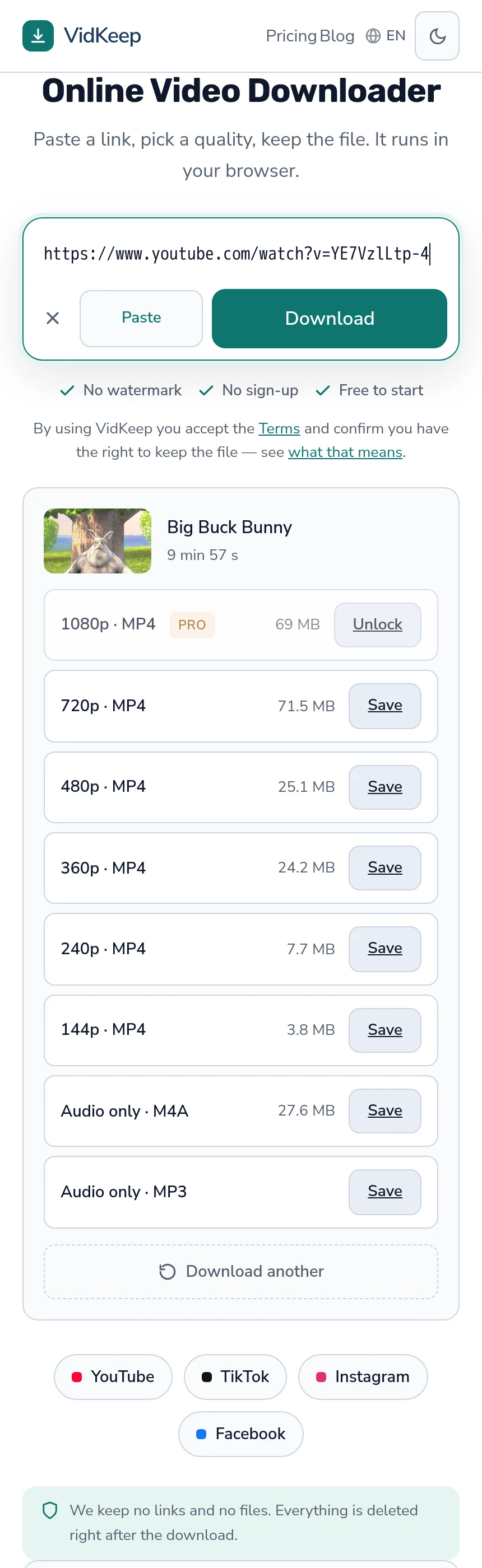
What we did build that helps here is the absence of the usual machinery. No suggestions after a download, no related content, no reason to stay on the page — the result panel has a Save button and a way to paste the next link, and nothing else. Those choices were made for speed and for privacy, and they happen to mean the page has no way to lead anyone anywhere.
The pattern we would actually recommend is the one in this article: an adult downloads, a child gets a folder in an ordinary video player, and the browser stays out of it entirely. That keeps our tool where it belongs — a step you take once, deliberately — rather than something left running where the judgement it requires is not available.
One practical consequence of our own design is worth mentioning for this use. Because the free tier does not count the platform's own audio track or 360p, and allows ten downloads a day beyond that, filling a tablet before a journey costs nothing in practice — a dozen episodes at 480p sits inside the daily allowance without any of this becoming a purchasing decision.
That was not designed for families and it fits the pattern: the limits are drawn around what costs us processing, and a handful of modest-quality files does not.
Frequently asked questions
Why download videos for children instead of using the app?
A file has no feed. It plays what you chose and stops — no autoplay, no recommendations, no comments, no advertising.
What quality should I choose?
480p on a phone or small tablet. Hard to distinguish at that size, roughly a third of the space, and it uses less battery.
Is it safe to let a child use a download site?
No. The risk is the pages themselves — fake buttons, installers, redirect chains. Downloading is a parent's job and the child gets a folder.
Is downloading for my kids legal?
Personal use within a household is the most defensible category. Showing downloaded material to a wider group, or building a library from a paid service, is different.
Does a downloaded file work as a parental control?
No. It removes autoplay and recommendations, which is real. It does not filter content, block the app, or manage time.
What should I check before a journey?
That every file plays — skip to the end rather than the start. A partial download often plays the first minute and stops.
VidKeep runs in your browser — paste a link, pick a quality, keep the file. No account, no app.
Open VidKeepLast updated: 2026-08-01. We revise our guides as the platforms change.