How-to
Downloading Snapchat Spotlight

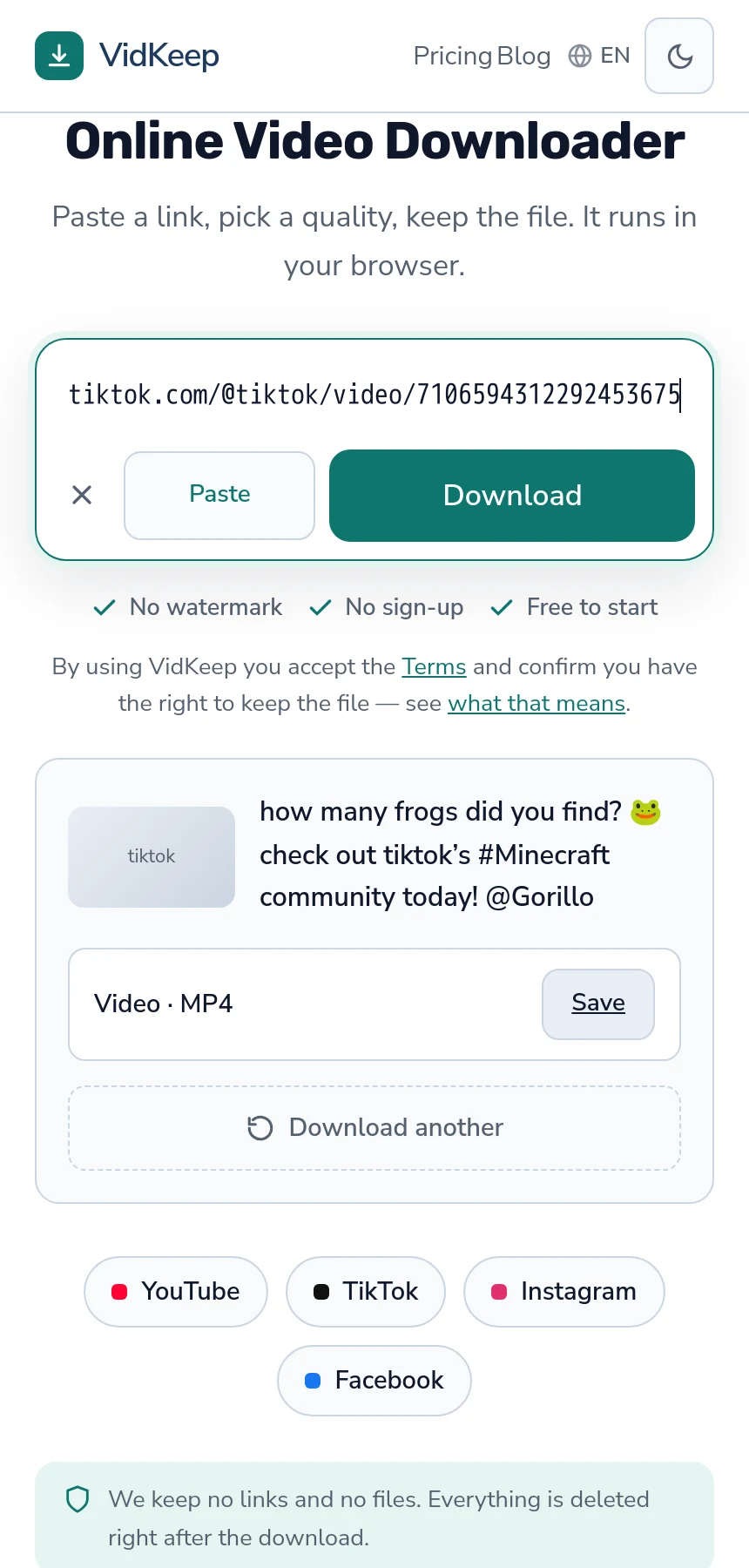
Spotlight works: paste the link, take the file. We tested three of them against the live service and each returned a single 720p MP4 with sound, free, no assembly needed. The rest of Snapchat does not — Stories, private snaps and anything requiring an account stay out of reach, and that difference is structural rather than a gap to be closed.
Why Spotlight is the reachable part
Snapchat is built around content that disappears and stays between people who know each other. Spotlight is the deliberate exception: a public feed the platform wants shared widely, with real web pages that anyone can open without signing in.
That public surface is what makes it downloadable. A Spotlight link resolves to a page with a finished video behind it, exactly like a post on any open platform.
Everything else on Snapchat inverts that. Stories are visible to a chosen audience for 24 hours; snaps are addressed to specific people; both are designed to be temporary. There is no public page for a downloader to reach, and no version of a tool that changes it.
What you get, measured
| Property | What we saw |
|---|---|
| Qualities offered | One — 720p |
| Format | MP4 with sound |
| Assembly needed | None — a finished file |
| Durations tested | 7, 10 and 19 seconds |
| File size reported | Not provided by the platform |
One quality, no menu. Snapchat stores a single finished version per Spotlight video rather than a ladder of resolutions, which is the same shape as TikTok and for the same reason: adaptive streaming buys nothing on a clip that lasts ten seconds.
The missing file size is a platform behaviour rather than a tool limitation. Snapchat does not report one, and these clips are short enough that it rarely matters — seconds of vertical video at 720p is a few megabytes.
Getting the link
- Open Spotlight on the web at snapchat.com, or use Share in the app and choose to copy the link.
- Check the address contains
/spotlight/followed by a long identifier. That is a video link. - Paste it in and save the file.
The identifiers are unusually long — sixty characters of letters, numbers, hyphens and underscores. Copy the whole thing; a truncated one will not resolve, and it is easy to lose the tail when selecting by hand.
A profile address or the Spotlight feed itself is not a video link, the same trap as everywhere — more on finding the right link.
What cannot be downloaded
- Stories. Visible to a chosen audience for 24 hours, with no public page.
- Individual snaps. Addressed to specific people and designed to disappear.
- Private accounts. Same as anywhere: if it needs an account to view, nothing external reaches it.
- Anything already expired. The address survives the content, so the failure looks like a broken tool.
Tools claiming to save Stories or snaps from other people are either using accounts against the platform's terms, doing nothing, or asking for your login — which is a credential harvest with a plausible cover story. A legitimate tool never needs your Snapchat account — the pattern is covered here.
Screenshot notifications and what they do not cover
Worth being precise, because this is where the etiquette question actually lives.
Snapchat notifies people when someone screenshots their snap or story. That is a deliberate social signal within the app, and it applies to the private, disappearing content this article says cannot be downloaded anyway.
Spotlight is public content published for distribution, and saving a public video does not trigger anything. Nobody is notified, because Spotlight is not that kind of content.
None of which settles what you should do with the file. A creator publishing to Spotlight consented to it being seen widely, not to it being reposted as someone else's — the same distinction as with watermarks on any short-video platform.
If it fails
Spotlight failures have a short list of causes.
The link is truncated. Most common by far, given the length of the identifiers. Copy from the address bar rather than by selecting text.
The video was removed. Spotlight content can be taken down by the creator or the platform, and the address remains valid pointing at nothing.
It is not actually Spotlight. A story or profile link looks similar and is a different kind of content.
Rate limiting. Several links failing together after a run of downloads is not the links — the same throttling logic applies across platforms.
How we verified this, and why that matters here
Every claim in this article came from running real Spotlight links through the live service while writing it. Three different videos, three successful downloads, durations of seven, ten and nineteen seconds, each returning one 720p MP4. That is a small sample and it is three more than most pages on this subject are based on.
The reason we insist on testing is specific to this category. Almost every downloader is built on the same open-source extraction library, which lists hundreds of platforms — so writing ‘we support Snapchat’ is trivially easy, because the handling code is genuinely present. Whether the platform answers a request from a particular server is an entirely separate question that nobody checks before publishing the page.
The two come apart more often than you would expect. In the same round of testing, Vimeo returned an authorisation failure, Reddit refused with a 403 even for its public data, Rumble refused outright, and Bilibili blocked the request before considering any video. All four are handled by the same library that handles Snapchat correctly. Support in code is not access from a server.
So the platforms we have actually confirmed number under ten, and that list is shorter than the eighty-platform tables competitors publish. It is also true, which we think is the better trade — a person who arrives with a Vimeo link and a promise that it works has been misled in a way that costs them time and costs us their trust.
The honest caveat on this article specifically: these measurements were taken on one day from one server, and platform policy changes. If Spotlight stops working for you later, that is entirely possible and this page will be out of date rather than wrong — a distinction worth stating rather than pretending a measurement is permanent.
Frequently asked questions
Can I download Snapchat Spotlight videos?
Yes. A Spotlight link returns a single 720p MP4 with sound. We tested three of them against the live service.
Why is there only one quality?
Snapchat stores one finished version per Spotlight video rather than a ladder of resolutions — the same shape as TikTok, for the same reason.
Can I download Snapchat Stories?
No. Stories are visible to a chosen audience for 24 hours and have no public page for a downloader to reach.
Will the creator be notified?
No. Screenshot notifications apply to private snaps and stories within the app. Spotlight is public content published for distribution.
Why does my Spotlight link not work?
Most often a truncated identifier — they run to about sixty characters. Copy from the address bar rather than selecting text by hand.
Do tools that save private snaps work?
No. They use accounts against the platform's terms, do nothing, or ask for your login — which is a credential harvest.
VidKeep runs in your browser — paste a link, pick a quality, keep the file. No account, no app.
Open VidKeepLast updated: 2026-08-01. We revise our guides as the platforms change.