Comparisons
What You Are Actually Paying For

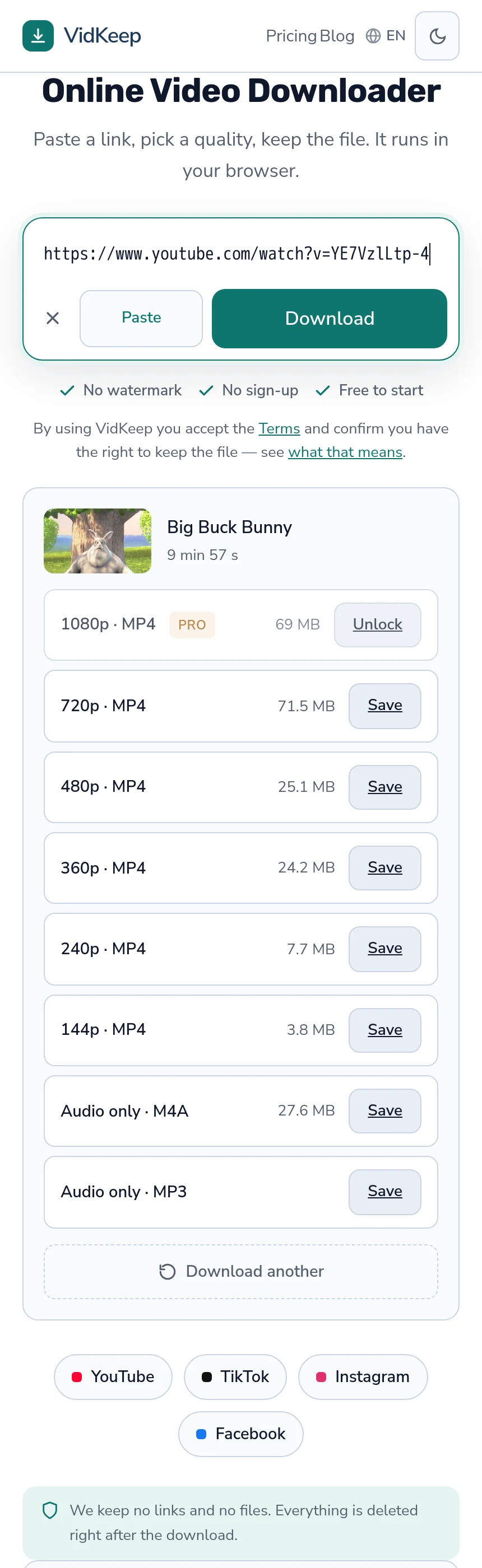
Downloading video costs real money to provide — bandwidth twice over, processing to assemble files, servers to run it on. A free tool covers that somehow, and the honest question is not whether it earns revenue but how. Advertising, data, upselling and cost-cutting on quality are the four answers, and they produce very different products.
What a download actually costs to serve
Numbers make this concrete, and they are ours.
A file at 1080p can be around 70 MB. That is fetched from the platform and sent to you — bandwidth paid twice. If video and audio are stored separately, both are fetched and joined, which occupies a processor and disk for the duration. On 31 October 2026 a three-and-a-half-minute video took 14 seconds to arrive at 720p (30 MB) and 24 seconds at 1080p (84 MB), joining included.
Multiply by every download and the shape is clear: this is not a service that costs nothing to run, and anyone offering it free is paying for it out of something.
| Cost | Who pays it |
|---|---|
| Bandwidth in and out | The service, per download |
| Processing for assembly | The service, per download above 360p |
| Servers and storage | The service, monthly |
| Paid fallbacks for hard platforms | The service, per request |
The four ways free gets funded
Advertising. The commonest. Costs you attention, page weight and — the part people miss — your visit is shared with every advertising network on the page, regardless of what the privacy policy says.
Data. Less visible and more consequential. If links are stored in readable form, the service holds a record of what people watch, and that record has value to someone.
Upselling. A free tier that works properly and a paid one that removes limits. Honest when the limits are stated, irritating when the free tier is deliberately broken to force the upgrade.
Cutting the cost of service. The subtle one. Handing over a silent video stream instead of joining audio, re-encoding everything to one small format, or offering only the cheapest qualities. The download is free and worse, and most people never find out why — the silent-video case is here.
How to tell which one you are using
- Count the third-party scripts. Open the browser's network view. Nine advertising trackers answers the funding question definitively.
- Check whether the audio is there. Consistently silent downloads above 360p mean the service is skipping the expensive step.
- Compare file size to what the platform reports. Much smaller means re-encoded — cheaper to serve, worse for you.
- Read what the limits actually are. A free tier with published numbers is a business model; one that fails unpredictably is something else.
None of these requires trusting anybody's description of themselves, which is the point.
What paid tiers usually remove
- Daily limits. The most common, and the most honest — it maps directly to what the service spends.
- Quality ceilings. Higher resolutions cost more to assemble and transfer, so they are frequently where the line sits.
- Advertising. Removing ads for payers is a straightforward trade.
- Queue priority. Relevant where processing is the bottleneck.
What a paid tier cannot buy is access to content that is genuinely restricted. No subscription reaches a private account, an age-gated video or a platform that refuses the service's requests — and a paid tier implying otherwise is selling something it does not have.
When free is the right answer
Most of the time, and it is worth saying plainly on a page that also sells a paid tier.
If you save a few videos a month, at ordinary quality, a well-drawn free tier costs you nothing and covers it entirely. Paying for capacity you will not use is money spent on reassurance.
Paying makes sense when you meet limits regularly, when you need high quality often, or when the reliability matters for something you are doing professionally. Those are real situations and they are not most people's.
The one case where free is clearly wrong is a service funded by data or by degrading downloads. That is not free; it is paid for in a currency you did not agree to — which is what to look for.
One-off payments, subscriptions and what each implies
The pricing shape tells you something about how a service expects to survive.
A subscription matches the cost structure honestly: the service pays for bandwidth and processing every month, so it charges every month. It also means the tool stops working when you stop paying, which for something you use occasionally is a poor fit.
A one-off or yearly payment is friendlier for light users and harder to sustain, because the costs keep arriving after the payment stopped. Where it works, it usually works because most buyers use far less than they paid for.
A single payment promising permanent access is the one to treat carefully. The costs are perpetual and the revenue is not, so the arithmetic only closes if the service either stops eventually or is subsidised by new sales — a business that has to keep growing to keep its promises.
None of these is dishonest by itself. What matters is whether the model can pay for the service it describes, and a price that looks too good for the bandwidth involved usually is.
Why the cheapest option is rarely the best value
A pattern worth recognising across this whole category.
Services that compete purely on being free tend to cut the same corners, because those are the corners available: skip the audio join, re-encode to something small, cache aggressively, serve fewer qualities. Each saves real money and each makes the product worse in ways that are invisible until you look at the file.
The result is that the cheapest tool is frequently the one that costs you a re-download, a file with no sound, or an evening working out why a video will not play on your television.
Which is not an argument for paying. It is an argument for judging by the file you receive rather than by the price — the two correlate less than you would expect, and a well-run free tier beats a badly-run paid one comfortably.
Our own numbers, and where the free line sits
Since the article asks you to interrogate funding models, here is ours with the reasoning attached.
The free tier is thirty downloads a day, ten of them above 720p. The platform's own audio track and 360p do not count at all, because they are passed through without assembly — they cost us bandwidth but no processing, so they are not metered. MP3 conversion does count, because that is genuine processing on our side.
The line is a judgement about cost. At 720p a three-and-a-half-minute video arrived in 14 seconds at 30 MB, which is cheap enough to give away — and giving it away matters, because competitors offer 720p free and being the tool that charges for it would be a bad trade. Above 720p the cost per download climbs sharply (84 MB and 24 seconds at 1080p), so Free includes ten such downloads a day rather than none.
There are no ad networks. Analytics scripts load only after you consent to cookies, and a link to a VPN service appears on every fourth free download. That is a deliberate cost: advertising is the obvious way to fund a free tier, and taking it would mean every visitor's page view going to an ad network on a site where the page view is the sensitive part.
We also pay for a commercial fallback provider on Instagram, per request, because Instagram refuses our datacentre address often enough that the alternative is telling people a public post cannot be fetched. That is a running cost with no revenue attached to it, absorbed because the alternative is a worse product.
The honest summary: this runs on one modest four-core server, shared with another product, and the limits in this article are what that hardware supports rather than what a pricing strategist chose. When we cap batches at 20 links on Pro rather than offer whole-profile downloading, it is partly because platforms would rate-limit it and partly because our own disk guard would refuse the queue — which we explain rather than hide.
Frequently asked questions
Why do free downloaders exist if it costs money to run them?
They earn revenue somehow: advertising, data, upselling a paid tier, or cutting the cost of service by degrading the download.
How do I tell how a free tool is funded?
Count third-party scripts in the browser's network view, check whether downloads have audio, and compare file size to what the platform reports.
Is a paid downloader better?
Not automatically. A well-run free tier beats a badly-run paid one. Judge by the file you receive rather than the price.
What can a paid tier not give me?
Access to restricted content. No subscription reaches a private account, an age-gated video, or a platform that refuses the service's requests.
When is paying worth it?
When you meet limits regularly, need high quality often, or depend on it professionally. For a few videos a month, a free tier covers it.
Why is 1080p limited on the free tier?
360p and the platform's audio track are passed through without assembly, so they are not metered. Higher qualities are assembled on our server, which costs processing and bandwidth, so Free includes ten of them a day.
VidKeep runs in your browser — paste a link, pick a quality, keep the file. No account, no app.
Open VidKeepLast updated: 2026-11-03. We revise our guides as the platforms change.